


Overview
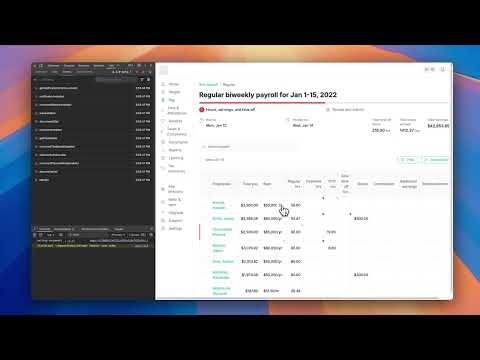
Velt DevTools extends Chrome DevTools adding Velt specific debugging capabilities.
Accelerate development and debugging of collaboration features built with Velt SDK, directly from your browser. ---------- What is Velt SDK? ---------- Velt SDK lets you add powerful, customizable collaboration features to your product very fast. It provides ready made full-stack components including: - Comments (similar to Figma, Frame.io, Google Docs, Sheets) - Loom-style recording (audio, video, screen) - Slack-style huddles (audio, video, screensharing) - Advanced notifications (in-app & off-app) - @mentions and assignments - Presence, cursors, and live selections - Multiplayer editing with conflict resolution - Live state synchronization and single editor mode - Follow mode (like Figma) ... and so much more ---------- Popular First Party Integrations ---------- 1. Tiptap 2. SlateJs 3. Highcharts 4. ChartJs 5. NivoCharts 6. Konvajs 7. Sendgrid ... and many more. ---------- What can this extension do? ---------- - Inspect Setup: Easily review and verify your setup. - Observe Data: Get real-time visibility into collaboration data flowing through your app. - Inspect Events: Track and inspect collaboration events as they happen, simplifying debugging. - Version Switching: Seamlessly switch between SDK versions for testing and optimization. ---------- Getting Started ---------- 1. Install the extension to your Chrome browser. 2. Ensure your product uses Velt SDK (npm install @veltdev/client). 3. Open your Velt-enabled app and start inspecting instantly. ---------- Enabling the Extension for Your API Key ---------- 1. The extension is automatically enabled for Test API keys. 2. To use the extension with a Production API key, you must explicitly enable it in your Velt Console under the API key settings. ---------- Documentation and Resources ---------- - Docs: https://docs.velt.dev/ - Release notes: https://docs.velt.dev/release-notes - Figma Template: to visualize your collaboration feature potential. ---------- Compliance and Security ---------- Velt SDK is SOC2 Type 2 and HIPAA compliant, ensuring robust security for your collaboration features. ---------- Community ---------- Join our community on X for updates, announcements, and tips: https://x.com/veltjs
5 out of 51 rating
Details
- Version1.1.19
- UpdatedJanuary 6, 2026
- Size313KiB
- LanguagesEnglish (United States)
- DeveloperSnippyly Inc.Website
650 California St San Francisco, CA 94108-2702 USEmail
support@velt.devPhone
+1 650-440-2178 - TraderThis developer has identified itself as a trader per the definition from the European Union and committed to only offer products or services that comply with EU laws.
- D-U-N-S119352668
Privacy

This developer declares that your data is
- Not being sold to third parties, outside of the approved use cases
- Not being used or transferred for purposes that are unrelated to the item's core functionality
- Not being used or transferred to determine creditworthiness or for lending purposes
Support
For help with questions, suggestions, or problems, please open this page on your desktop browser