

Velocity TTS: YouTube Live Chat to Discord TTS
1 rating
)
Overview
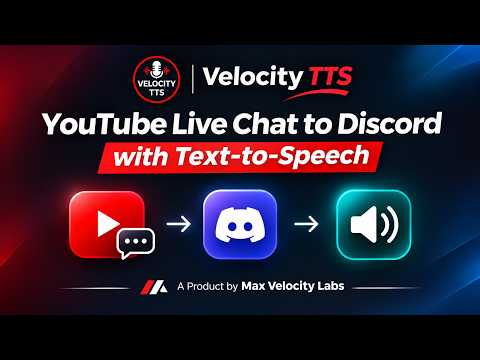
Relay YouTube live chat messages to Discord so your TTS bot can read them aloud, with cooldowns and viewer controls.
Let your live chat be heard. Velocity TTS captures new messages from your YouTube live chat and relays them to a Discord channel through a webhook you set up. Pair it with Discord's built-in TTS or your own custom TTS bot, and your viewers' messages get read aloud while you stream, without you having to stop and read chat. HOW IT WORKS 1. Create a Discord text channel and add your TTS bot to it. You can use Discord's default TTS as well. 2. Create a webhook for that channel to post messages. Can be enabled from Server Settings -> Integrations 3. Open your YouTube livestream page or livestream dashboard, make sure live chat is open and visible, and launch the extension. 4. Paste in your webhook URL, then click Start capture. 5. If the stream page reloads or resets, launch the extension again and restart capture. FEATURES 1. Live chat relay: New YouTube live chat messages are captured and sent to your Discord channel automatically. 2. Discord TTS support: Choose whether relayed messages ask Discord to read them aloud, or use your own TTS bot instead. 3. Message cooldown: Set a global cooldown so chat doesn't flood your voice channel. 4. Viewer-level control: Override the cooldown for individual viewers, or exclude certain viewers from the relay altogether. 5. Duplicate suppression: Repeated consecutive messages are filtered out, so fast-moving chat stays listenable. 6. Live message view: See captured messages and viewer activity right inside the extension while you stream. PRIVACY FIRST We do not store your data. Your webhook URL and relay preferences are kept in Chrome's local extension storage. Captured messages are sent directly to the Discord webhook you configure, never through a Velocity TTS cloud relay. GOOD TO KNOW 1. Works on the YouTube livestream page with live chat open and visible. 2. You need your own Discord server, a text channel, and a webhook. 3. Velocity TTS is not affiliated with or endorsed by YouTube or Discord. Built by MaxVelocity Labs to make live communities easier to hear.
5 out of 51 rating
Details
- Version2.0.0
- UpdatedNovember 24, 2026
- Offered byMax Velocity Labs
- Size2.01MiB
- LanguagesEnglish
- DeveloperMaxVelocityLabs
South Delhi Delhi, Delhi 110068 INEmail
support@maxvelocitylabs.com - Non-traderThis developer has not identified itself as a trader. For consumers in the European Union, please note that consumer rights do not apply to contracts between you and this developer.
Privacy

Velocity TTS: YouTube Live Chat to Discord TTS has disclosed the following information regarding the collection and usage of your data. More detailed information can be found in the developer's privacy policy.
Velocity TTS: YouTube Live Chat to Discord TTS handles the following:
This developer declares that your data is
- Not being sold to third parties, outside of the approved use cases
- Not being used or transferred for purposes that are unrelated to the item's core functionality
- Not being used or transferred to determine creditworthiness or for lending purposes
Support
For help with questions, suggestions, or problems, visit the developer's support site