Item logo image for Veezy - Screen Recorder & Annotation Tool

Veezy - Screen Recorder & Annotation Tool

5.0(

4 ratings

)
Item media 3 (screenshot) for Veezy - Screen Recorder & Annotation Tool
Item media 4 (screenshot) for Veezy - Screen Recorder & Annotation Tool
Item video thumbnail
Item media 2 (screenshot) for Veezy - Screen Recorder & Annotation Tool
Item media 3 (screenshot) for Veezy - Screen Recorder & Annotation Tool
Item media 4 (screenshot) for Veezy - Screen Recorder & Annotation Tool
Item video thumbnail
Item media 2 (screenshot) for Veezy - Screen Recorder & Annotation Tool
Item video thumbnail
Item media 2 (screenshot) for Veezy - Screen Recorder & Annotation Tool
Item media 3 (screenshot) for Veezy - Screen Recorder & Annotation Tool
Item media 4 (screenshot) for Veezy - Screen Recorder & Annotation Tool

Overview

The free and privacy-friendly screen recorder with no limits. Capture, annotate, edit videos and more - all with no sign in needed.

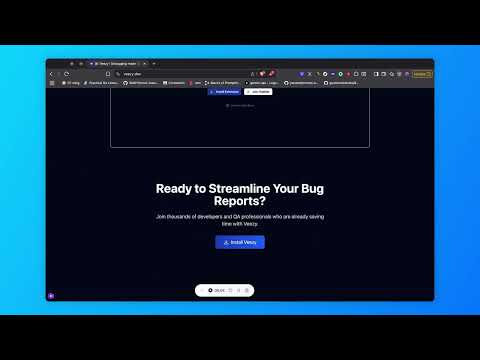
Veezy is your lightweight QA companion for faster, smarter bug tracking. Easily record your actions, capture network logs, and generate clean, step-by-step bug reports — all in one smooth Chrome extension. Why Veezy? - Whether you're a QA tester, developer, or product manager, Veezy helps you save time, reduce back-and-forth, and catch bugs with confidence — no more guessing or messy screenshots. Key Features Record user actions including clicks, inputs, navigation, and more — automatically. Replay recorded sessions to easily reproduce bugs and issues. Capture network activity in the background without opening DevTools. Generate clear, step-by-step bug reproduction logs in plain language. Copy steps repro to your clipboard for fast sharing. Designed with privacy in mind — data stays local unless you choose to export. Lightweight and efficient — built for daily use by QA testers and developers.

Details

  • Version
    0.1.8
  • Updated
    October 19, 2025
  • Offered by
    hvien
  • Size
    13.21MiB
  • Languages
    English
  • Developer
    Email
    hdhvien2002@gmail.com
  • Non-trader
    This developer has not identified itself as a trader. For consumers in the European Union, please note that consumer rights do not apply to contracts between you and this developer.

Privacy

Manage extensions and learn how they're being used in your organization
The developer has disclosed that it will not collect or use your data. To learn more, see the developer’s privacy policy.

This developer declares that your data is

  • Not being sold to third parties, outside of the approved use cases
  • Not being used or transferred for purposes that are unrelated to the item's core functionality
  • Not being used or transferred to determine creditworthiness or for lending purposes

Related

CaptureNShare: Capture, Record, Edit & Share

4.9

Transforms your screen into a canvas—effortlessly record, edit, and share high-quality screenshots and videos like a pro!

Free Screen Recorder

4.8

Record your screen, window, or tab and save it as a video.

Videco Video and Screen Recorder

5.0

Supercharge your sales pipeline with AI personalized videos

Rewindy — The Instant Replay Screen Recorder

5.0

Your screen's time machine. Instantly save any moment, clip, or glitch you just missed on your screen.

Simple Screen Recorder

5.0

Record any tab or screen with auto spotlight on clicks, beautiful backgrounds, browser frames, and one-click MP4 export.

Easy Screen Recorder

5.0

The easiest screen recorder extension to use. Easy Screen Recorder extension helps you record video from the computer's screen,…

Screen Recorder - Toolsmystro

5.0

Opens a new Chrome window for screen recording.

CaptureKit – Video Editor & Screen Recorder

5.0

Multi-track video editor: cut, trim, text, shapes. Record screen or import videos. Export MP4/WebM. No sign-up, no watermarks.

Simple Screen Recorder

5.0

Record your screen anywhere, anytime.

Vidsell - Screen Recorder & Annotation Tool

5.0

The free and privacy-friendly screen recorder with no limits. Capture, annotate, edit videos and more - all with no sign in needed.

Next Recorder – Screen Recorder for Chrome (HD, No Watermark)

4.3

Next Recorder is a fast Chrome screen recorder to capture screen, tabs, and camera in high quality with one click.

Chatwhizz Screenshot & Screen Recorder

5.0

The best tool to capture the screenshot, record your screen. Annotate the videos & screenshots. An easy-generating link to share.

CaptureNShare: Capture, Record, Edit & Share

4.9

Transforms your screen into a canvas—effortlessly record, edit, and share high-quality screenshots and videos like a pro!

Free Screen Recorder

4.8

Record your screen, window, or tab and save it as a video.

Videco Video and Screen Recorder

5.0

Supercharge your sales pipeline with AI personalized videos

Rewindy — The Instant Replay Screen Recorder

5.0

Your screen's time machine. Instantly save any moment, clip, or glitch you just missed on your screen.

Simple Screen Recorder

5.0

Record any tab or screen with auto spotlight on clicks, beautiful backgrounds, browser frames, and one-click MP4 export.

Easy Screen Recorder

5.0

The easiest screen recorder extension to use. Easy Screen Recorder extension helps you record video from the computer's screen,…

Screen Recorder - Toolsmystro

5.0

Opens a new Chrome window for screen recording.

CaptureKit – Video Editor & Screen Recorder

5.0

Multi-track video editor: cut, trim, text, shapes. Record screen or import videos. Export MP4/WebM. No sign-up, no watermarks.

Google apps