

Urlyze — Scan Before You Click
1 rating
)
Overview
Scan links with Urlyze before you click. Clear verdicts in plain language. No tracking — we only read a page when you ask us to.
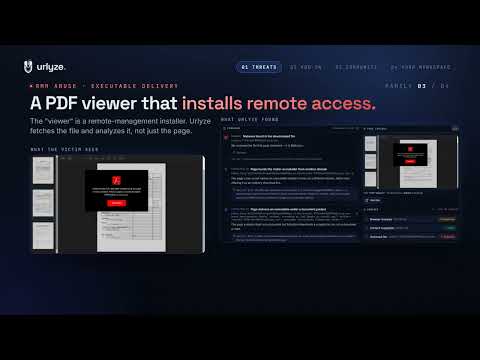
Check a link before you trust it. Urlyze — Scan Before You Click sends any URL you choose to the Urlyze analysis platform and returns a clear verdict: Clean, Suspicious, or Malicious — with a plain-language explanation of why. WHAT IT DOES • Scan the page you're on — one click from the toolbar. • Right-click any link → "Scan link with Urlyze" — check it before you click it. • Paste any URL into the popup and scan it. • Every result links to the full forensic report on app.urlyze.io: screenshots, redirect chain, certificate and infrastructure details. WHAT POWERS IT Every scan runs in the Urlyze pipeline: a real headless browser render, multi-engine reputation checks, in-depth file & document analysis, and phishing-kit fingerprinting — ending in one verdict you can act on. PRIVACY, BY DESIGN • This extension cannot read your pages. It has no access to page content, browsing history, or tabs — it only sees a URL at the moment you explicitly ask for a scan. • No telemetry, no analytics, no third-party requests. The only server it talks to is the Urlyze API. • Anonymous scans appear in the Urlyze community feed — without your identity. Want private scans? Create a free account at app.urlyze.io and connect your API key in the extension's options — your scans then stay private to your workspace. OPTIONAL EXTRAS (all off by default) • Download watch: when you turn it on, the extension can offer to scan the source URL of a file you download — before you open it. It never reads the file's contents; it only checks where the download came from. • Scan from another country: if a site blocks our default scan location, retry the scan from a different egress region in one click. Urlyze is a URL threat-analysis and brand-protection platform used by security teams. This extension brings its scanner to your browser.
5 out of 51 rating
Details
- Version0.9.17
- UpdatedOctober 6, 2026
- Offered byUrlyze
- Size94.88KiB
- LanguagesEnglish
- Developerİbrahim Akgül
Cumhuriyet Mahallesi Kazım Karabekir Caddesi No:8/7 Tarabyaüstü Sarıyer Akgül Apartmanı Sarıyer, İstanbul 34457 TREmail
ibrahim.akgul@urlyze.ioPhone
+90 533 546 69 17 - TraderThis developer has identified itself as a trader per the definition from the European Union and committed to only offer products or services that comply with EU laws.
Privacy

Urlyze — Scan Before You Click has disclosed the following information regarding the collection and usage of your data. More detailed information can be found in the developer's privacy policy.
Urlyze — Scan Before You Click handles the following:
This developer declares that your data is
- Not being sold to third parties, outside of the approved use cases
- Not being used or transferred for purposes that are unrelated to the item's core functionality
- Not being used or transferred to determine creditworthiness or for lending purposes
Support
For help with questions, suggestions, or problems, visit the developer's support site