


Overview
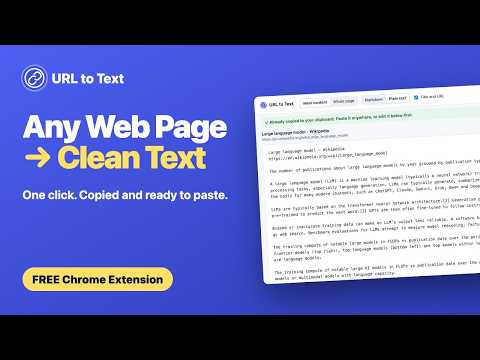
Copy any web page as clean text in one click. Plain text or Markdown, main content or whole page. Free, no account, runs locally.
Copy any web page as clean text in one click. URL to Text turns the page you are looking at into text you can paste anywhere: ChatGPT, Claude, Notion, Obsidian, a doc or an email. It reads the page the way you see it, so it works on JavaScript apps, logged-in pages and dashboards, not just simple articles. ONE CLICK Click the toolbar button (or press Alt+Shift+C). The text is copied to your clipboard and opens in a new tab, so you can see exactly what you got, with the word count and roughly how many AI tokens it is. MAIN CONTENT OR WHOLE PAGE • Main content strips menus, ads, sidebars and footers and keeps the article, using Mozilla's Readability (the engine behind Firefox Reader View). • If a page has no clear article, it falls back to the whole page automatically. • Whole page copies everything visible, minus navigation and footers. PLAIN TEXT OR MARKDOWN • Plain text keeps paragraphs and line breaks, nothing else. • Markdown keeps headings, links (as full URLs), lists, tables and code blocks with their language. • The title and URL go at the top so you always know the source. You can turn that off. JUST A SELECTION Highlight part of a page and only your selection is copied, in the format you choose. EDIT IT BEFORE YOU PASTE The text tab lets you read and edit the text, switch between main content and whole page or Markdown and plain text, and copy or download it. RIGHT-CLICK MENU Right-click any page for URL to Text: copy as Markdown, copy as plain text, download as a .md file, or open the text in a new tab. Right-click a selection to copy just that. SETTINGS Right-click the toolbar icon and choose "Options, word count and download…" to set your defaults (main content or whole page, plain text or Markdown, title and URL on or off). Every click uses them. The same panel shows the word and token count for the page and lets you copy or download .txt or .md. PRIVATE BY DESIGN • Free, with no account and no sign-up. • Everything happens in your browser. The page is never sent to a server. • No analytics, no tracking, no data collected. • It can only read the tab you click it on, at the moment you click. Need text from many URLs, or from your own code? The URL to Text API at urltotext.com extracts clean text and Markdown from any URL at scale. Made by Bramlett Software.
0 out of 5No ratings
Details
- Version1.0.0
- UpdatedOctober 23, 2026
- Size74.17KiB
- LanguagesEnglish (United States)
- DeveloperBramlett Software LLCWebsite
5900 Balcones Dr Ste 100 Austin, TX 78731-4298 USEmail
tim@bramlettsoftware.comPhone
+1 469-648-8502 - TraderThis developer has identified itself as a trader per the definition from the European Union and committed to only offer products or services that comply with EU laws.
- D-U-N-S134518613
Privacy

This developer declares that your data is
- Not being sold to third parties, outside of the approved use cases
- Not being used or transferred for purposes that are unrelated to the item's core functionality
- Not being used or transferred to determine creditworthiness or for lending purposes
Support
For help with questions, suggestions, or problems, visit the developer's support site