

URL Replacement
12 个评分
)
概述
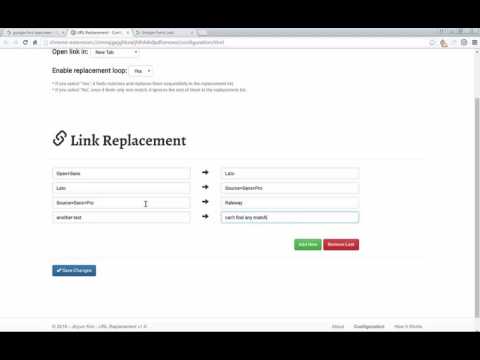
Replace your target link with what you want
The main idea is from Sitecore CMS. When I was working on Content Editor in creating new page items or updating published pages, I sometimes need to compare the item to current live page to see how current live page looks like. In this case, I would open a new tab or window and manually type “http(s)://www.mysite2.com/Finance/Market_News” in Address Bar because its database-driven item path is “/sitecore/content/Site2/Finance/Market_News” in Sitecore. I was looking for a better way to reduce a few seconds and thinking that “Okay, let’s create a command which is getting item’s path by Item ID and replace prefix (“/sitecore/content/Site2/”) with site domain (http://www.mysite2.com/). This command would be used in a new ribbon in Content editor and xEditor (Page Editor).” In addition to this, there is a way to change the target DB to “Web” DB instead of “Master” when user clicks “Preview”. However, until Sitecore Administrator or/and .Net developers add this feature, Sitecore end-users who have access to Content Editor would not have any chance to open live page directly from Content Editor. This, my own concern, made me think of creating a Chrome Extension so that any user can use shortcut without asking new feature to their agents or vendors. Even the main idea was from Sitecore, this extension can be used in any web page. ======= Version 1.1 ======= - Enable Incognito mode - Minimize the size of package
3.9 星(5 星制)12 个评分
详情
- 版本1.1
- 上次更新日期2017年7月9日
- 提供方developer1106
- 大小4.45MiB
- 语言English
- 非交易者该开发者尚未将自己标识为交易者。欧盟地区消费者须知:消费者权利可能不适用于您与该开发者达成的合约。
隐私权
