

URL Memo Manager
2 ratings
)
Overview
URLごとにメモを残せる拡張機能 検索→メモしたページにジャンプができます
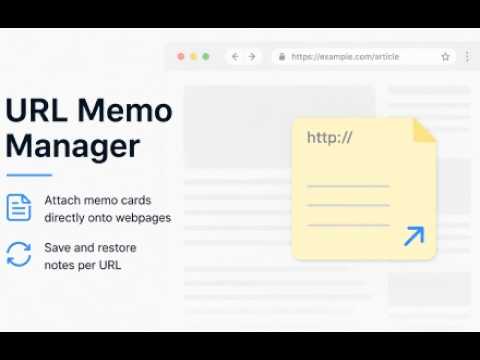
URL Memo Managerは、Webページ上に自由に配置できるカード型メモを提供する拡張機能です。 ページごとに必要な情報をその場で記録し、次回アクセス時には自動で復元。 YouTube の動画視聴、調べ物、学習、資料読みなど、あらゆる Web 作業を効率化します。 主な機能 ページ上にカード型メモを自由配置 位置・サイズを直感的に調整でき、必要な情報を画面内に固定できます。 URL単位で自動保存・復元 メモはページごとに管理され、再訪時に同じ位置・同じ内容で復元されます。 リッチテキスト編集に対応 太字、色、フォントサイズなど、読みやすいメモを作成できます。 ページ横断検索 全ページのメモをまとめて検索でき、目的の情報にすぐアクセスできます。 検索結果からページへ移動すると自動フォーカス 他ページのメモを選択すると、そのページへ移動後に対象メモが自動で最前面に表示されます。 複数メモの管理が簡単 表示・非表示の切り替え、削除、ページ移動などをポップアップから操作できます。 こんな人におすすめ YouTube の動画に歌詞・メモを添えたい 調べ物の途中でページごとにメモを残したい 学習中に Web ページへ補足情報を書き込みたい 資料や記事を読みながら要点を整理したい Web作業の効率を上げたい プライバシーについて URL Memo Managerはユーザーのデータを外部へ送信しません。 すべてのメモはブラウザ内のローカルストレージに保存されます。 URL Memo Manager is an extension that provides card-style memos you can freely place on web pages. Record necessary information right on the page and have it automatically restored the next time you visit. It streamlines all kinds of web-based tasks, such as watching YouTube videos, conducting research, studying, and reading documents. Key Features Freely place card-style memos on the page Intuitively adjust position and size, and pin essential information to your screen. Automatic save and restore by URL Memos are managed on a per-page basis and restored in the same position and with the same content upon revisiting. Rich text editing support Create easy-to-read memos with formatting options like bold text, colors, and font sizes. Cross-page search Search through memos across all pages at once to quickly access the information you need. Auto-focus when navigating from search results Selecting a memo from another page automatically navigates to that page and brings the specific memo to the foreground. Easy management of multiple memos Toggle visibility, delete memos, or navigate to pages directly from the popup menu. Recommended for Adding lyrics or notes to YouTube videos Leaving notes on specific pages while conducting research Adding supplementary information to web pages while studying Organizing key points while reading documents or articles Improving efficiency in web-based tasks Privacy URL Memo Manager does not transmit user data externally. All memos are stored in the browser's local storage. Icons by Icons8 — https://icons8.com
5 out of 52 ratings
Details
- Version0.2.11
- UpdatedAugust 28, 2026
- Offered byUPROLL
- Size46.75KiB
- Languages日本語
- Developer
Email
uproll.choco@gmail.com - Non-traderThis developer has not identified itself as a trader. For consumers in the European Union, please note that consumer rights do not apply to contracts between you and this developer.
Privacy

This developer declares that your data is
- Not being sold to third parties, outside of the approved use cases
- Not being used or transferred for purposes that are unrelated to the item's core functionality
- Not being used or transferred to determine creditworthiness or for lending purposes