

URL Guard

Overview
Intercepts link clicks and analyzes URLs before navigation, helping prevent phishing, malicious links and accidental clicks.
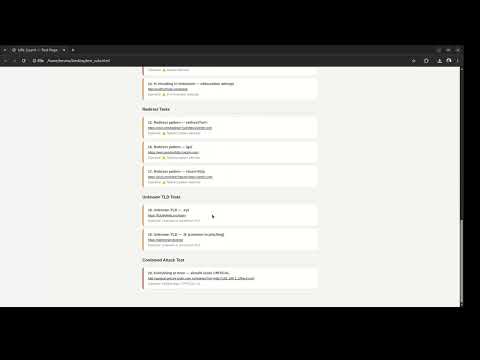
Here's a polished store description: URL Guard — Link Safety Analyzer Every day, phishing attacks, malicious links, and accidental clicks cause real harm to real people. URL Guard puts a smart safety barrier between you and the links you click — giving you the information you need to make an informed decision, every single time. How it works: Every time you click a link, URL Guard intercepts it before the browser navigates and presents a full analysis of the destination URL. You then choose to proceed or cancel. No automatic blocking, no decisions made for you — just clear, honest information. What it analyzes: 🔒 Protocol safety — detects unencrypted HTTP and file transfer protocols 🌐 Direct IP addresses — a classic sign of a malicious or suspicious destination 🎭 Brand spoofing — catches tricks like paypal.com.evil.ru where the real domain is hidden in a subdomain 🎭 Homograph attacks — detects look-alike characters from other alphabets designed to impersonate legitimate domains 🔗 URL shorteners — flags hidden destinations behind bit.ly, tinyurl, t.co and others ↪️ Redirect patterns — detects URLs engineered to silently send you somewhere else ⚠️ Suspicious patterns — flags credential injection attempts, encoded obfuscation and code execution tricks 🗂️ Domain type and registry nationality 📊 Overall risk score — LOW, MEDIUM, HIGH or CRITICAL based on combined findings Designed for real use: URL Guard is particularly effective when reading emails or messages in web-based clients like Gmail, Outlook Web, or WhatsApp Web — exactly where phishing links are most commonly delivered. For routine browsing, simply turn it off with one click and re-enable it whenever you need it. Privacy first: URL Guard collects absolutely nothing. No URLs are stored, no clicks are logged, no data ever leaves your browser. The only thing saved locally is whether the guard is on or off. That's it. Special thanks to Filipe Kane for the artwork.
0 out of 5No ratings
Details
- Version3.0
- UpdatedJune 13, 2026
- Offered byTelmo Carvalho
- Size43.25KiB
- LanguagesEnglish (United States)
- Developer
Email
telmoabc@gmail.com - Non-traderThis developer has not identified itself as a trader. For consumers in the European Union, please note that consumer rights do not apply to contracts between you and this developer.
Privacy

This developer declares that your data is
- Not being sold to third parties, outside of the approved use cases
- Not being used or transferred for purposes that are unrelated to the item's core functionality
- Not being used or transferred to determine creditworthiness or for lending purposes
Support
For help with questions, suggestions, or problems, please open this page on your desktop browser