

Upwork AI Proposal, Bidding & Profile Optimizer — ProfileRankers

Overview
Scan and score your Upwork profile, get high-impact fixes, and draft tailored proposals.
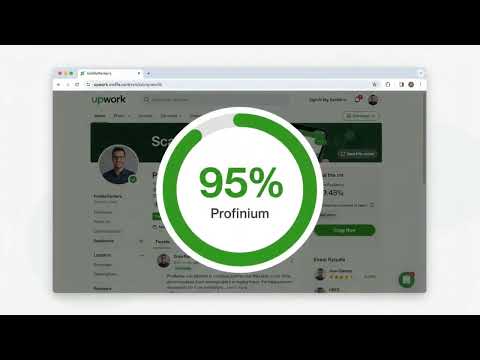
ProfileRankers is an AI proposal generator and profile optimizer for Upwork freelancers, built right into your browser. Scan your profile to get a score out of 100, then turn any job post into a tailored proposal, plus a visual solution diagram and a step-by-step execution plan PDF, in seconds. Most freelancers lose the job before a client finishes reading — a role-led headline, an overview that opens with a greeting instead of the client's problem, and a generic cover letter sent to everyone. ProfileRankers shows you exactly which section is costing you replies, hands you copy-ready rewrites, then writes the proposal and shows the client how you would actually deliver the work. NEW IN THIS VERSION • Solution diagram + execution plan PDF — every proposal can come with a visual diagram of how you will solve the client's problem and a clean, step-by-step execution plan PDF you can attach to your proposal yourself. Show the client your plan instead of just telling them. • Auto-download — turn on the image and PDF toggles, click Generate, and the proposal, diagram and PDF are created together, with the files saved straight to your computer (Pro). • Scan new job & generate — opened a new job post? One click reads it and writes a fresh proposal, no need to reopen the panel. • Free trial — every new account gets 10 proposals that include the solution diagram and execution plan PDF, free. • Sign in once — log in on the extension or the web dashboard and the other signs in automatically. Log out of one and both log out. • Dashboard tracking — see your proposal, diagram and PDF counts on your dashboard, with the files saved next to each proposal. WHAT IT DOES • Profile score — AI grades your headline, overview, portfolio, skills, rate and completeness out of 100, section by section, with a plain-English reason for each score. • Copy-ready rewrites — not advice about what to write. Finished headline and overview text you paste straight into your profile. • AI proposal writer — reads the job post you are viewing and drafts a proposal matched to that brief and your real experience. • Solution diagram + execution plan PDF — a visual workflow of your approach and a phase-by-phase delivery plan for the job, ready for you to attach. • Cover letter drafts in your own voice, with tone and length you control. • Red flags and quick wins — the specific things costing you invitations, ranked by impact, each with a concrete fix. • Score trends — watch your score move as you apply each fix, scan after scan. • Proposal library — every proposal you generate, saved with the job details, client signals, diagram and PDF it was created with. • Connects tracking — record what each proposal actually cost you, so you can see your real spend per win. WHO IT IS FOR • Freelancers who bid every week and want a faster, better first draft. • New freelancers who are sending proposals and getting no replies. • Developers, automation builders and technical freelancers who want to show the client a clear plan, not just a cover letter. • Experienced freelancers whose profile has drifted out of date with the work they now want. • Agencies and VAs managing profiles and bids for others. HOW IT WORKS 1. Install ProfileRankers and sign in (free account, no credit card). 2. Open your profile on Upwork and click Scan. You get a score out of 100, section scores, red flags and rewrites. 3. Paste the rewrites you like into your profile. 4. Open any job post and click Generate. Turn on the image and PDF toggles if you want the solution diagram and execution plan too. 5. Review the draft, edit it, copy it, and paste it into Upwork yourself. Attach the PDF yourself if you want to. FREE VS PRO Free — genuinely free, does not expire: 1 profile scan and 3 proposals every month, full AI analysis, red flags and rewrites. Plus a one-time free trial of 10 proposals, each with the solution diagram and execution plan PDF. Pro — $19/month: 20 profile scans and 100 proposals per month, 30 solution diagrams + execution plan PDFs per month with auto-download, all three AI models (Gemini, GPT and Claude) so you can pick whichever writes closest to your voice, performance analytics, keyword gap analysis, saved proposal templates, and before/after export. Billed monthly, no annual contract, cancel any time, 30-day money-back guarantee. HONEST ABOUT WHAT IT CAN DO No third-party tool controls Upwork's search ranking or a client's hiring decision, and we do not claim otherwise. ProfileRankers helps you present your experience more clearly and respond to briefs faster, which improves your chances — it cannot promise rankings, replies, interviews or hires. READ-ONLY AND SAFE BY DESIGN ProfileRankers is strictly read-only on Upwork. It reads a page only when you explicitly click Scan, Generate or Scan new job — never in the background, never on a timer, never on page load. It never fills in a form, never clicks a button, and never submits anything on your behalf. Every proposal is copy-to-clipboard: you review it, edit it, and paste it yourself. The diagram and PDF are saved only to your own computer, and only for proposals you generated. Your password is never requested or stored — the extension only reads the page you are already signed in to and looking at, in your own browser. Read the full details of how we follow Upwork's terms: profilerankers.com/upwork-compliance ProfileRankers is an independent product. It is not affiliated with, endorsed by, or sponsored by Upwork or any other freelance marketplace. All trademarks belong to their respective owners. Install ProfileRankers, scan your profile free, and see exactly what is costing you work. profilerankers.com
5 out of 510 ratings
Details
- Version0.1.2
- UpdatedNovember 18, 2026
- FeaturesOffers in-app purchases
- Size1.26MiB
- LanguagesEnglish
- DeveloperV2Developer LLCWebsite
1001 S Main St Ste. 600 Kalispell, MT 59901-1498 USEmail
profilerankers@gmail.comPhone
+92 307 0272224 - TraderThis developer has identified itself as a trader per the definition from the European Union and committed to only offer products or services that comply with EU laws.
- D-U-N-S144578303
Privacy

Upwork AI Proposal, Bidding & Profile Optimizer — ProfileRankers has disclosed the following information regarding the collection and usage of your data. More detailed information can be found in the developer's privacy policy.
Upwork AI Proposal, Bidding & Profile Optimizer — ProfileRankers handles the following:
This developer declares that your data is
- Not being sold to third parties, outside of the approved use cases
- Not being used or transferred for purposes that are unrelated to the item's core functionality
- Not being used or transferred to determine creditworthiness or for lending purposes
Support
For help with questions, suggestions, or problems, visit the developer's support site