Item logo image for Unlost

Unlost

Item media 6 (screenshot) for Unlost
Item video thumbnail
Item media 2 (screenshot) for Unlost
Item media 3 (screenshot) for Unlost
Item media 4 (screenshot) for Unlost
Item media 5 (screenshot) for Unlost
Item media 6 (screenshot) for Unlost
Item video thumbnail
Item media 2 (screenshot) for Unlost
Item media 3 (screenshot) for Unlost
Item media 4 (screenshot) for Unlost
Item media 5 (screenshot) for Unlost
Item media 6 (screenshot) for Unlost

Overview

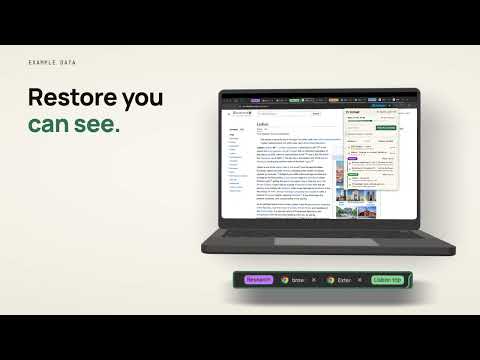
Your tabs, exactly as you left them. A quiet rolling backup of every window, tab and group, restored with names and colours.

Restore closed Chrome tabs, windows and tab groups exactly as they were. Unlost keeps a rolling local history so you can recover your work after a crash, accidental closure, restart or sync problem. Why people use Unlost • Restore a whole window, one tab group or everything at once. • Scrub through a time slider to find the exact layout you need. • Bring back tab names, colours, order, pinned tabs and collapsed groups. • See a clear restore report, including anything Chrome could not restore. • Check the health dot to know whether backup is live, stalled or full. Free and Pro Free keeps the last 24 hours and restores single windows and groups. Pro (£19, one payment) keeps 7 days, restores everything in one click and unlocks export. The licence is a key, not a Google account, so it works on any profile or machine you use. Privacy and permissions Nothing leaves your computer. Your history is stored in Chrome’s local storage. Export and import are plain JSON. Unlost asks for tabs and tabGroups to read what is open and put it back, storage to keep your history on this computer and alarms for the one-minute heartbeat. It asks for nothing on any website. Incognito windows are never captured. Made in the UK by Bright Loop Media.

Details

  • Version
    0.1.2
  • Updated
    23 October 2026
  • Features
    Offers in-app purchases
  • Offered by
    Bright Loop Media
  • Size
    112KiB
  • Languages
    English (United Kingdom)
  • Developer
    Bright Loop Media Ltd
    7 farmfield grove Wirral CH46 9AL GB
    Email
    chris@brightloopmedia.co.uk
    Phone
    +44 7456 382831
  • Trader
    This developer has identified itself as a trader per the definition from the European Union and committed to only offer products or services that comply with EU laws.
  • DUNS
    235120135

Privacy

Manage extensions and learn how they're being used in your organisation

Unlost has disclosed the following information regarding the collection and usage of your data. More detailed information can be found in the developer's privacy policy.

Unlost handles the following:

Web history
Website content

This developer declares that your data is

  • Not being sold to third parties, outside of the approved use cases
  • Not being used or transferred for purposes that are unrelated to the item's core functionality
  • Not being used or transferred to determine creditworthiness or for lending purposes

Related

Tab Group Saver — Auto Backup & One-Click Restore

0.0

Automatically backs up your Chrome tab groups (names, colors, tabs) and restores them in one click. Local-first, JSON export.

Tab Safety Net – Session Backup & Restore

0.0

Auto-backup of your windows, tabs and tab groups. Restore after a crash, sleep idle tabs safely. Nothing leaves your browser.

TabFlock

5.0

Save and restore browser sessions with full tab group preservation — names, colors, collapsed state.

Undo Tabs

4.6

Search and restore recently closed tabs, tab groups, and windows

Tabiary: Auto Tab Backup & Restore

0.0

Restores windows, pinned tabs and tab groups from automatic backups after a crash or update. All local, no account. Free.

TabKeep: Window & Tab Session Saver

0.0

Save and restore tab sessions with named configurations. Reopen all windows and tabs just like you left them, anytime.

TabHaven

0.0

Save, organize and restore tab sessions with Tab Groups, cloud sync, categories, snooze and more. Your tabs deserve a safe haven.

Tab Buddy — Session & Tab Manager

0.0

Save, restore & sync tabs and tab groups. Command-palette search, crash recovery, thumbnails, encrypted sync. Free, no account.

Arguta Desk

0.0

Save and restore every Chrome window, tab and tab group, at its exact size and screen position.

Tabwell — Tab Session Manager

5.0

Save and restore Chrome tab sessions with group names, colors, and collapsed state preserved. Local-first; no account.

Quick Tab Groups

0.0

Save your open tabs as a named group and restore them with one click as color-coded Chrome tab groups.

Tab Manager

0.0

Auto-group your open tabs and never lose them. Groups are saved and restored after every restart.

Tab Group Saver — Auto Backup & One-Click Restore

0.0

Automatically backs up your Chrome tab groups (names, colors, tabs) and restores them in one click. Local-first, JSON export.

Tab Safety Net – Session Backup & Restore

0.0

Auto-backup of your windows, tabs and tab groups. Restore after a crash, sleep idle tabs safely. Nothing leaves your browser.

TabFlock

5.0

Save and restore browser sessions with full tab group preservation — names, colors, collapsed state.

Undo Tabs

4.6

Search and restore recently closed tabs, tab groups, and windows

Tabiary: Auto Tab Backup & Restore

0.0

Restores windows, pinned tabs and tab groups from automatic backups after a crash or update. All local, no account. Free.

TabKeep: Window & Tab Session Saver

0.0

Save and restore tab sessions with named configurations. Reopen all windows and tabs just like you left them, anytime.

TabHaven

0.0

Save, organize and restore tab sessions with Tab Groups, cloud sync, categories, snooze and more. Your tabs deserve a safe haven.

Tab Buddy — Session & Tab Manager

0.0

Save, restore & sync tabs and tab groups. Command-palette search, crash recovery, thumbnails, encrypted sync. Free, no account.

Search
Clear search
Close search
Google apps
Main menu
