


Overview
Restore copy, text selection, right-click and keyboard shortcuts on sites that block them. Nothing is tracked and nothing is sent.
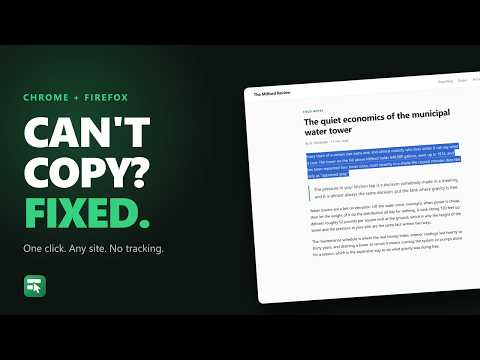
Some sites switch off text selection. Others take away the right-click menu, or swallow Ctrl+C, or let the copy go through and then quietly replace what you copied with a link back to their homepage. Unlock Copy puts all of it back. Click the toolbar button and the page behaves normally again. Select text, right-click, copy with the keyboard. There's no account and nothing to set up before it works. WHY THIS ONE Three things here work differently from the usual approach. The stylesheet wins. The common way to do this is to inject a rule saying selection is allowed, and any site shipping its own competing rule beats that. Unlock Copy puts its rule in the user stylesheet layer instead, which browsers rank above anything a page can write, inline styles included. Sites that fight back still lose. It leaves working sites alone. A page listening for the copy event isn't automatically doing something hostile. Code blocks with a copy button, rich text editors and password managers all listen for that same event for ordinary reasons. So rather than deleting those listeners, Unlock Copy lets them run and takes away only their ability to cancel your copy. Text boxes, contenteditable regions and editors like CodeMirror, Monaco and ProseMirror are skipped entirely. Remembering a site does something real. Switch on "Always unlock this site" and it asks your browser for access to that one site, then arranges to run before the site's own code on your next visit. That ordering is the whole game. When a page installs its blocker before anything else runs, nothing arriving later can undo it, and going first is the only answer. An extension that just ticks a box and saves it somewhere cannot do that, and it will fail on exactly those sites while looking like it worked. HOW YOU USE IT Two levels, and the popup keeps them apart. "Unlock this page" fixes the page in front of you right now. Nothing to approve, no reload. It lasts until you navigate away. "Always unlock this site" is for pages you keep coming back to. Your browser asks you once, about that one site. Four switches decide what comes back: Text selection and copy Right-click menu Keyboard shortcuts Clean copy, which strips the "read more at..." text some sites bolt onto whatever you copied PERMISSIONS A fresh install cannot read any website at all. It asks for three things: permission to act on the tab you're looking at when you click the button, permission to inject its own code, and somewhere to keep your settings. Site access is never requested until you ask for it. When you do, it's one site at a time, by name, with your browser showing you the prompt. Take it back whenever you like. WHAT IT CANNOT DO Being straight about this is more useful than overpromising. Text painted into a canvas, or shipped as an image, isn't text. Nothing can copy it. Text placed by CSS pseudo-element content is unselectable by design, in every browser. Frames embedded from another site stay locked unless you unlock that site too. Browser settings pages and the built-in PDF viewer are closed to every extension, not only this one. PRIVACY Nothing is collected and nothing is sent anywhere. There's no server behind it and no analytics of any kind. That's enforced rather than promised: the build fails if a networking call appears anywhere in the source. Your settings sit in your browser's own sync storage, next to your bookmarks. OPEN SOURCE All of it is on GitHub under the MIT licence, so you can read exactly what it does: https://github.com/TiltedLunar123/unlock-copy The test suite reproduces 16 separate blocking techniques and checks the real clipboard after each one, three times over (including a pass with the extension switched off, to prove each test actually blocks in the first place). Requires Chrome 111 or later.
0 out of 5No ratings
Details
- Version1.0.3
- UpdatedAugust 7, 2026
- Size88.17KiB
- LanguagesEnglish (United States)
- DeveloperWebsite
Email
support@secplusmastery.com - Non-traderThis developer has not identified itself as a trader. For consumers in the European Union, please note that consumer rights do not apply to contracts between you and this developer.
Privacy

This developer declares that your data is
- Not being sold to third parties, outside of the approved use cases
- Not being used or transferred for purposes that are unrelated to the item's core functionality
- Not being used or transferred to determine creditworthiness or for lending purposes
Support
For help with questions, suggestions, or problems, please open this page on your desktop browser