


Overview
Use Multiplatform Video Translator to dub videos on 200+ sites: an AI video translator that speaks the subtitles in your language.
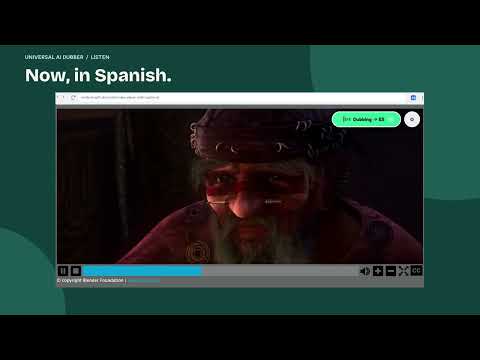
Multiplatform Video Translator dubs online videos into your language with an AI voice. You open a video in another language and no longer have to choose between watching the screen and reading the captions. Voice dubbing instead of subtitles Multiplatform Video Translator speaks the translation aloud while you keep watching. The voice follows the timing of the original captions, and the original audio is turned down underneath it. Works where you already watch The video translator extension runs on 200+ sites: video platforms, social media, online courses and many pages with an embedded player. No uploads and no pasting links into a separate tool. Not every player is supported, and new sites are added on request. Start in about a minute Add Multiplatform Video Translator to Chrome, open a video with captions, choose your language and press play. No account is required. No minute caps Dubbing with on-device voices has no per-minute limit or timer. Dubbed audio is saved on your computer, so a rewatched video loads from the cache instead of being processed again. Real-time mode In real-time mode the first lines are ready within a few seconds and the rest is prepared while you watch, so a short clip and a long lecture start just as quickly. Videos without subtitles (PRO) With PRO, Multiplatform Video Translator can recognize the speech of a video that has no subtitles right on your device and dub the recognized text. The audio never leaves your computer. Some languages are not supported yet. How Multiplatform Video Translator works It reads the captions the video player already loads, translates them with the translation service selected in the extension, and generates the voice with text-to-speech, either on your computer or through an optional online voice service. Who it is for Students who want to translate video lectures, tutorials and talks. Viewers who would rather listen than read subtitles. Anyone who watches videos in a language they do not speak and wants an AI video translator that works on more than one site. Frequently asked questions Is there a time limit? No. On-device dubbing has no minute caps or timers, and dubbed videos replay from the local cache. Does Multiplatform Video Translator work on short videos and reels? Yes. It works with short videos and reels, and with many other sites that play video with captions. Do I get subtitles or a voice? A voice. You hear the video in your language instead of reading it. Which languages are supported? Dozens of languages. Captions in a supported source language can be dubbed into any supported target language, including translating video to English. Are there ads? The free version promotes Talking Photos, another app by the same developer: in the extension popup and, at most once a week, in a small card on pages with video that you can close. The card is labeled as an ad from this extension. PRO has no ads. Install Multiplatform Video Translator, open a video with captions and listen in your language. If a site or language you need is missing, let us know.
4.2 out of 54 ratings
Details
- Version1.4.1
- UpdatedNovember 16, 2026
- FeaturesOffers in-app purchases
- Size114MiB
- Languages53 languages
- DeveloperWebsite
Email
oleg.pharo@gmail.com - Non-traderThis developer has not identified itself as a trader. For consumers in the European Union, please note that consumer rights do not apply to contracts between you and this developer.
Privacy

Multiplatform Video Translator has disclosed the following information regarding the collection and usage of your data. More detailed information can be found in the developer's privacy policy.
Multiplatform Video Translator handles the following:
This developer declares that your data is
- Not being sold to third parties, outside of the approved use cases
- Not being used or transferred for purposes that are unrelated to the item's core functionality
- Not being used or transferred to determine creditworthiness or for lending purposes
Support
For help with questions, suggestions, or problems, visit the developer's support site