


Overview
Extract HTML tables from any website. Highlight, right-click to extract, and export to Excel, CSV, JSON, or copy to clipboard.
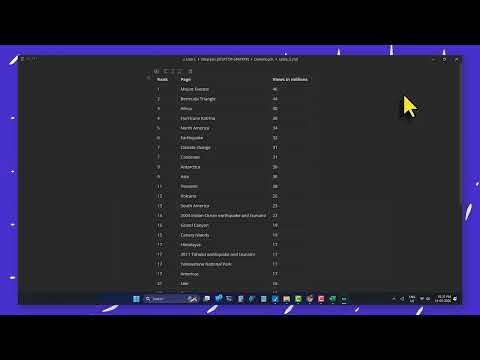
Stop struggling with messy copy-paste and manual data entry! Unlimited Table Extractor is the ultimate browser tool designed to detect, highlight, and scrape tables from any webpage instantly. Whether you are extracting financial reports, sports statistics, lead lists, or Wikipedia data, our extension makes the process seamless, accurate, and 100% private. With an offline-first architecture, your scraped data never leaves your computer. Process thousands of rows in-memory and download formatted spreadsheets locally in a single click. 🚀 KEY FEATURES Smart In-Page Hover Toolbar: Hover over any table on a website to display an interactive overlay. Click to export the table instantly without opening any menus. Real-Time Page Scanner: Open the extension popup to see a comprehensive dashboard listing every table detected on the active tab, along with row and column counts. Focus & Lock Highlights: Can't find a table? Hover over its card in the popup to project a glowing border on the webpage. Click "Focus" to auto-scroll the table right into view. Batch ZIP Exporter: Select multiple files and formats, then package every table on the webpage into a single, clean ZIP folder in one click. 15 Localized Languages: Fully translated popup interface including English, Chinese, Hindi, Spanish, French, Arabic, Bengali, Portuguese, Russian, Urdu, Indonesian, German, Japanese, and more. Custom UI Themes & Fonts: Match your workspace style with 7 visual themes (Nordic, Minimalist, Cyberpunk, Emerald, Sunset, Sakura, Brutalist) and 8 premium typography layouts (Lexend, Inter, Nunito, Poppins, etc.). 📊 SUPPORTED EXPORT FORMATS Excel (XLSX): Standard formatted spreadsheet format for Microsoft Excel, Numbers, and LibreOffice. CSV & TXT: Clean comma-separated or tab-separated text data for data science, databases, and general scripts. Google Sheets: Select copy to clipboard (TSV format) and paste directly into Google Sheets with formatting intact. PNG Image: Captures high-resolution visual snapshots of tables (ideal for presentation slides, PDF inclusion, and documentation). JSON & JSONL: Key-value format and line-delimited JSON for software engineers, automation pipelines, and JSON API testing. Markdown (MD): Formatted Markdown syntax to paste tables directly into Obsidian, GitHub readmes, blogs, or notion pages. XML & HTML: Structured markup files representing the table schema and styles. 💰 PLAN COMPARISON: FREE VS. PRO Choose the plan that fits your scraping needs. We support secure lifetime one-time licenses (no recurring monthly subscriptions!). Feature / Capability Free Plan Pro Starter Pro Ultimate (Best Value) Price $0 (Forever) $9 (One-Time) $24 (One-Time Deal) Max Rows per Table Up to 300 rows Up to 1,000 rows Unlimited Rows Key Export Formats CSV, TXT, Clipboard XLSX, CSV, TXT, HTML, XML All Formats (Markdown, PNG, JSON, JSONL) Multi-Table ZIPs Not Supported Single-Table ZIPs Batch Multi-Table ZIPs Visual Styling Themes Minimalist Only Nordic, Emerald All 7 Premium Themes Typography Packs Nunito Only Lexend, Inter, Nunito All 8 Typography Packs In-Page Overlay Bar Yes Yes Yes Support Status Community Priority Email 24/7 Priority Support 🛠️ HOW TO USE IN 3 STEPS Pin the Extension: Install the extension, click the Chrome puzzle icon (🧩), and click the Pin (📌) next to Unlimited Table Extractor. Locate a Table: Navigate to any webpage containing a table (e.g., Wikipedia lists, dashboard reports). Click & Export: Hover over the table and select your format from the dropdown, or open the extension popup to preview and batch-download all tables on the page. 🔒 OFFLINE-FIRST PRIVACY GUARANTEE Unlimited Table Extractor runs entirely in your local browser sandbox. It does not communicate with external servers, request tracking permissions, or collect telemetry. All data conversions (including Excel sheet compiling and ZIP packaging) happen in your browser's local memory. Your web browsing history and scraped data remain 100% private. 📝 WHO IS IT FOR? Data Analysts & Researchers: Fast data collection for analysis, modeling, and reporting. Sales & Lead Gen Teams: Instantly scrape contact directories, business indices, and list sites. Developers & QA: Extract mockup tables, JSON records, or markdown components from portals. Students & Educators: Grab statistical tables from Wikipedia or academic papers directly into Excel.
5 out of 51 rating
Details
- Version1.1
- UpdatedJune 9, 2026
- FeaturesOffers in-app purchases
- Size442KiB
- LanguagesEnglish (United States)
- DeveloperNIRANJANWebsite
S/O BABU LAL KHATIKО КА МOHLLA WARD NO 13 LOHARU Bhiwani, Haryana 127201 INEmail
support@ext.plusPhone
+91 99927 38145 - TraderThis developer has identified itself as a trader per the definition from the European Union and committed to only offer products or services that comply with EU laws.
Privacy

Unlimited Table Extractor has disclosed the following information regarding the collection and usage of your data. More detailed information can be found in the developer's privacy policy.
Unlimited Table Extractor handles the following:
This developer declares that your data is
- Not being sold to third parties, outside of the approved use cases
- Not being used or transferred for purposes that are unrelated to the item's core functionality
- Not being used or transferred to determine creditworthiness or for lending purposes
Support
For help with questions, suggestions, or problems, visit the developer's support site