Universal PiP Pro - Auto Screenshots & Telegram
3 ratings
)


Overview
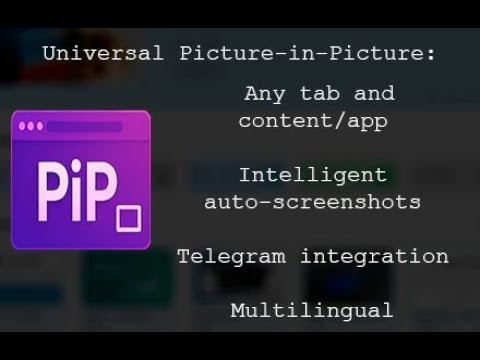
Advanced Picture-in-Picture with auto-screenshots, Telegram integration
Universal PiP Pro is a revolutionary browser extension that transforms the standard Picture-in-Picture mode into a powerful tool for monitoring, analysis, and automation. Record any browser tab in a floating window, take automatic screenshots at a customizable interval, and instantly send them to Telegram or save them to your computer. 🚀 Key Features 🖼️ Universal Picture-in-Picture Capture any browser tab or operating system application!!! Floating window Works on top of all windows and applications Sound support with the ability to turn on/off Compatible with all websites and web apps 📸 Intelligent auto-screenshots Configurable intervals (seconds, minutes, hours) Scheduled automatic saving Dual saving - to Telegram or your computer High-quality, lossless images 🤖 Telegram integration Instant notifications about new screenshots A personal bot for each user Automatic sorting by time and date Private delivery channel 🌍 Multilingual support 6 languages: English, Russian, Spanish, Italian, German, Polish Automatic browser language detection Intuitive interface without language barriers ✅ Universality Works with any website without restrictions Does not require special permissions from website owners 🔒 Privacy All Data is processed locally No third-party servers for analysis Full control over your data Telegram bot as a private delivery channel 💰 Accessibility Free basic version with full functionality No hidden subscriptions 🛠️ Technological advancement Modern code using the latest web APIs Open development roadmap 💼 Key user cases 👨💻 For professionals Real-time web application monitoring DevOps engineers: dashboard and metrics monitoring Traders: stock chart and quote monitoring Analysts: business metrics and KPI monitoring Developers: log and system monitoring Use case: "As a DevOps engineer, I use Universal PiP Pro to monitor Grafana dashboards. Auto-screenshots are saved to Telegram every 5 minutes, allowing me to see A history of metric changes even when I'm away from the computer." 🎓 For Education and Training Automation of the Learning Process Students: Recording online lectures and webinars Teachers: Monitoring educational platforms Researchers: Tracking scientific data and experiments Use Case: "When studying trading, I use PiP on TradingView charts. The extension automatically takes screenshots of key moments, creating an archive of trading situations for later analysis." 🛍️ For e-commerce and marketing Competitor and market monitoring Marketers: tracking changes on competitors' websites E-commerce managers: monitoring prices and promotions SEO specialists: monitoring search engine rankings 👁️ For parental control Safe monitoring Parents: discreet monitoring of children's online activity Guardians: monitoring elderly relatives 🎮 For gamers and streamers Game monitoring Gamers: tracking statistics and progress Streamers: monitoring chat and stream metrics 🔮 Future updates ☁️ Google Drive integration (Coming Soon) Automatic sync and analysis 📁 Direct screenshot upload to Google Drive 🗂️ Smart organization by dates, projects, and tags 🔍 OCR text recognition in screenshots 🤖 Automatic AI content categorization 📊 Usage analytics with graphs and reports Benefits: Continuous backup of important data Access screenshots from any device Search for text within images Automatic sorting by content type 🧠 AI content analysis (In Development) Intelligent screenshot processing 🔢 For numerical data: 📈 Automatic recognition of graphs and charts 💹 Detection of anomalies and sudden changes 📉 Trend analysis and forecasting ⚠️ Smart alerts for critical events Values 📊 For text content: 📝 Automatic extraction of key information 🔄 Comparison of changes between screenshots 🏷️ Thematic content classification 📋 Structuring data into tables 🎯 For visual content: 👁️ Object and interface element recognition 🎨 Color scheme and design analysis 📏 Layout change detection ⏱️ Timelines of visual content changes 🔔 Smart notifications (Planned) 🎛️ Customizable alert triggers 📱 Push notifications to all devices 🗂️ Prioritization of important events 📈 Adaptive algorithms for learning your patterns 🤝 Command functions (Future Vision) 👥 Shared workspace for teams 🔐 Granular access rights 💬 Comments and screenshot discussions 📋 Workflow process automation 🏆 Advantages over similar extensions 📊 Who is this extension for? 🎯 Target audience: IT professionals and developers Traders and financial analysts Marketers and SEO specialists Students and researchers Gamers and streamers Parents and guardians Any users who need to monitor web content 🌟 Why choose Universal PiP Pro? "This isn't just another screenshot extension – it's an intelligent monitoring system that turns passive observation into active analysis." Universal PiP Pro evolves from a simple screenshot tool into a comprehensive platform for automated web content monitoring and analysis powered by artificial intelligence. 🔄 Development Roadmap 🟢 Implemented: ✅ Picture-in-Picture for any tab and app ✅ Auto-screenshots with intervals ✅ Telegram integration ✅ Multilingual support 🟡 In development: 🔄 Google Drive integration 🔄 Basic AI text analysis 🔄 Smart notifications 🟠 Planned: ⏳ Advanced AI graph analysis ⏳ Command functions ⏳ Integration with other cloud storage 🔴 Future: 💡 AI predictions based on historical data 💡 Integration with popular monitoring APIs 💡 Custom plugins and extensions Universal PiP Pro is your intelligent assistant in the world of web monitoring, transforming routine monitoring into a breeze. into automated analysis with artificial intelligence! 🚀
5 out of 53 ratings
Details
- Version2.0
- UpdatedNovember 22, 2025
- Offered byccb.terentiev
- Size50.54KiB
- Languages6 languages
- Developer
Email
ccb.terentiev@gmail.com - Non-traderThis developer has not identified itself as a trader. For consumers in the European Union, please note that consumer rights do not apply to contracts between you and this developer.
Privacy

This developer declares that your data is
- Not being sold to third parties, outside of the approved use cases
- Not being used or transferred for purposes that are unrelated to the item's core functionality
- Not being used or transferred to determine creditworthiness or for lending purposes