


Overview
Control audio and video with custom auto play-pause timing. Save presets, unlock longer gaps, and use Soft gap in Pro.
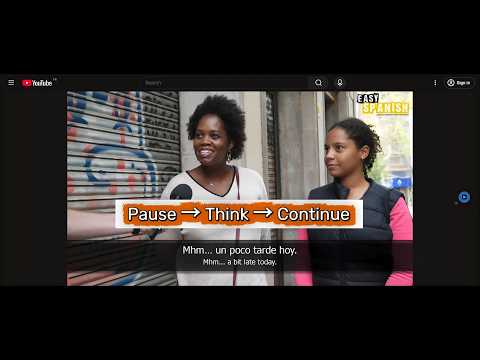
Universal Auto Play & Pause adds a simple, predictable play–pause rhythm to online audio and video 🤩. Instead of continuous playback, the extension repeats a pattern you control: play → pause → play → pause This makes it easier to repeat spoken phrases, practice listening, or study audio and video content at a comfortable rhythm. 🚀 Universal Auto Play & Pause is especially useful for: • language learning • shadowing spoken phrases • repeating dialogue • studying lectures or technical talks • practicing dictation • reviewing listening materials for language exams • repeating audiobook segments • creating reflection pauses while studying • following subtitles more easily • listening to interviews with controlled pacing The extension works on most websites that use standard HTML5 audio or video. 🚀 Core Features – Automatic Play-Pause Control ⭐️ Custom Play-Pause Timing Choose how long audio or video plays before the extension pauses it automatically. Example rhythm: Play for 5 seconds Pause for 1 second Repeat automatically. ⭐️ Floating Page Control A small floating button appears directly on the page so you can quickly enable or disable the play–pause rhythm without reopening the popup. ⭐️ Default keyboard shortcut: Mac Cmd + Shift + P Windows / Linux Ctrl + Shift + P You can change the shortcut at: chrome://extensions/shortcuts 🚀 Pro Features – Extended Playback Control The Pro version unlocks additional control for longer or more flexible listening sessions. ⭐️ Soft Gap creates smoother audio transitions between play and pause, making listening sessions feel more natural. ⭐️ Extended Timing Ranges Free version Play: up to 30 seconds Gap: up to 1 second Pro version Play: up to 60 seconds Gap: up to 10 seconds ⭐️ Presets Save and quickly switch between timing configurations. Built-in presets include examples such as: Shadowing – Short Sentences Shadowing – Standard Shadowing – Extended Dialogue – Compact Turns Lecture – Paragraph Lecture – Section Deep Focus – Long Segment You can also create your own custom presets for your listening workflow. 🚀 Notes on Playback Behavior If you purchase the Pro version, reload the page to activate Pro features on the current media page. If a page has been open for some time without playback, reload the page to reconnect the extension to the media element. Some websites suspend background tabs or replace media elements after long idle periods. Reloading the page reconnects the extension to the media element.
0 out of 5No ratings
Details
- Version1.0.2
- UpdatedJune 9, 2026
- FeaturesOffers in-app purchases
- Size64.2KiB
- LanguagesEnglish
- DeveloperWebsite
Email
contact@extenlabs.com - Non-traderThis developer has not identified itself as a trader. For consumers in the European Union, please note that consumer rights do not apply to contracts between you and this developer.
Privacy

This developer declares that your data is
- Not being sold to third parties, outside of the approved use cases
- Not being used or transferred for purposes that are unrelated to the item's core functionality
- Not being used or transferred to determine creditworthiness or for lending purposes
Support
For help with questions, suggestions, or problems, please open this page on your desktop browser