

UniMemo — AI Context Bridge

Overview
Persistent, cross-platform AI memory. Capture conversations from Claude, ChatGPT, or Gemini and carry context anywhere.
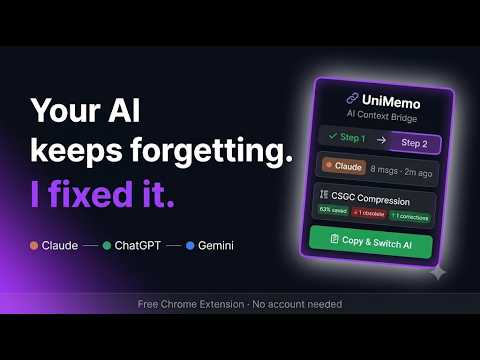
UniMemo gives your AI assistants a shared, persistent memory — so your conversations with ChatGPT, Claude, and Gemini finally talk to each other. HOW IT WORKS: 1. Open any conversation on Claude, ChatGPT, or Gemini 2. Click the UniMemo icon → hit "Capture This Conversation" 3. Switch to another AI, click "Copy & Switch AI" 4. Paste (⌘V or CtrlV) — the new AI picks up exactly where you left off WHAT MAKES IT DIFFERENT: UniMemo uses CSGC (Context-Salience Greedy Compression), a research-backed algorithm that doesn't just truncate your history — it detects when you've corrected yourself ("actually use MySQL, not Postgres") and makes sure the correction survives while the outdated fact is deprioritised. • No account required • No data leaves your browser — everything stays in local storage • Works on Claude, ChatGPT, and Gemini • 50% compression with intelligent supersession detection
0 out of 5No ratings
Details
- Version1.0.0
- UpdatedJuly 11, 2026
- Offered byutkarshaggarwal06
- Size371KiB
- LanguagesEnglish
- Developer
Email
utkarshaggarwal06@gmail.com - Non-traderThis developer has not identified itself as a trader. For consumers in the European Union, please note that consumer rights do not apply to contracts between you and this developer.
Privacy

UniMemo — AI Context Bridge has disclosed the following information regarding the collection and usage of your data. More detailed information can be found in the developer's privacy policy.
UniMemo — AI Context Bridge handles the following:
This developer declares that your data is
- Not being sold to third parties, outside of the approved use cases
- Not being used or transferred for purposes that are unrelated to the item's core functionality
- Not being used or transferred to determine creditworthiness or for lending purposes