


Overview
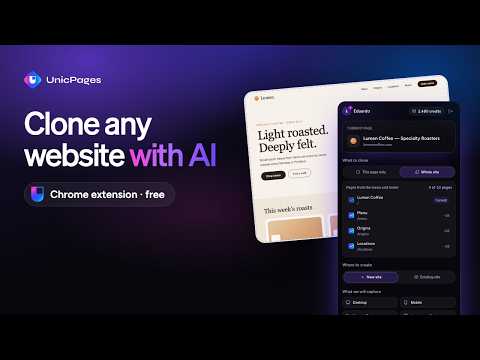
Clone any website into UnicPages: desktop, mobile and hover screenshots, images and fonts, rebuilt by AI as an editable project.
Turn any website you're browsing into your own editable UnicPages site. Open the extension, click Clone and the UnicPages AI rebuilds the page in your editor, ready to customize and publish on your domain. HOW IT WORKS 1. Open the website you want to use as a starting point 2. Click the UnicPages icon to open the side panel 3. Choose "Just this page" or "Whole site" (up to 8 pages) and where to create it: a new site or one you already have 4. See how many credits the clone will use, then confirm 5. The extension takes desktop, mobile and hover screenshots and reads the page's text, colors, fonts and images 6. The AI rebuilds everything as clean code and the editor opens with your new project WHAT YOU GET - Layout, sections and spacing matching the original - Responsive version based on the mobile screenshots - Colors, fonts and hover effects - Images, fonts and icons copied into your project - Plain HTML for simple sites, Nuxt for larger ones, and a backend when the site has forms CREDITS Cloning uses UnicPages AI credits. The extension shows the estimated cost before starting, and you only confirm after seeing it. Start free at unicpages.com. PRIVACY - The extension only reads a page when you click Clone. It does not run in the background or collect your browsing. - Access to websites is requested the first time you clone, and you can decline. - Your session is kept only while the browser is open. - Nothing is sold or used for any other purpose. Please only clone websites you own or have permission to use, and replace third-party content before publishing. Privacy policy: https://unicpages.com/docs/privacy-policy Support: contato@unicpages.com
5 out of 51 rating
Details
- Version2.0.2
- UpdatedOctober 10, 2026
- FeaturesOffers in-app purchases
- Size201KiB
- Languages3 languages
- DeveloperWebsite
Email
unicpages@gmail.com - Non-traderThis developer has not identified itself as a trader. For consumers in the European Union, please note that consumer rights do not apply to contracts between you and this developer.
Privacy

UnicPages - Website Cloner has disclosed the following information regarding the collection and usage of your data. More detailed information can be found in the developer's privacy policy.
UnicPages - Website Cloner handles the following:
This developer declares that your data is
- Not being sold to third parties, outside of the approved use cases
- Not being used or transferred for purposes that are unrelated to the item's core functionality
- Not being used or transferred to determine creditworthiness or for lending purposes
Support
For help with questions, suggestions, or problems, visit the developer's support site