

UnfoldShot — Full Page Screenshot

Overview
Capture the visible area for free. Unlock full page screenshots with Pro for €4.99 once. Save as PNG, JPEG or image PDF.
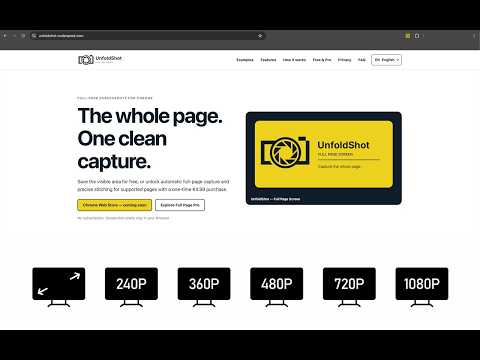
Save an article, document a web page or send a clear visual reference to a colleague. UnfoldShot captures the visible area for free. Full Page Pro unlocks full page screenshots for €4.99 as a one-time purchase, with no subscription. For a full page capture, UnfoldShot scrolls the page and assembles the captured sections locally in your browser. Review the result in a zoomable preview, then download a PNG, JPEG or image PDF. The PDF contains an image: it does not include OCR or searchable text. You can also copy a PNG when Chrome allows it, or start a capture with a keyboard shortcut. Three steps: 1. Install UnfoldShot, open the web page and launch the extension. 2. Choose the free visible-area capture or Full Page Pro. 3. Check the preview, then download or copy the result. Capture processing stays local: captured pixels and the page URL are not sent to a server for processing. Licensing is separate: the license service uses an installation ID and activation/purchase information; Stripe processes the payment. Chrome internal and protected pages, including its PDF viewer, cannot be captured. Cross-origin content, dynamic pages and very large pages may limit or affect the result. Check the preview before sharing or archiving a file. Support: https://unfoldshot.codenprod.com/support Privacy: https://unfoldshot.codenprod.com/privacy
0 out of 5No ratings
Details
- Version1.2.1
- UpdatedOctober 8, 2026
- FeaturesOffers in-app purchases
- Size315KiB
- Languages34 languages
- DeveloperCODE & PROD
BUREAU 3 30 AVENUE MARECHAL FOCH LYON 69006 FREmail
contact@codenprod.comPhone
+33 6 86 63 44 79 - TraderThis developer has identified itself as a trader per the definition from the European Union and committed to only offer products or services that comply with EU laws.
- D-U-N-S286968523
Privacy

UnfoldShot — Full Page Screenshot has disclosed the following information regarding the collection and usage of your data. More detailed information can be found in the developer's privacy policy.
UnfoldShot — Full Page Screenshot handles the following:
This developer declares that your data is
- Not being sold to third parties, outside of the approved use cases
- Not being used or transferred for purposes that are unrelated to the item's core functionality
- Not being used or transferred to determine creditworthiness or for lending purposes
Support
For help with questions, suggestions, or problems, visit the developer's support site