


Overview
Save and restore browser tabs instantly. Copy URLs in multiple formats, paste to reopen tabs.
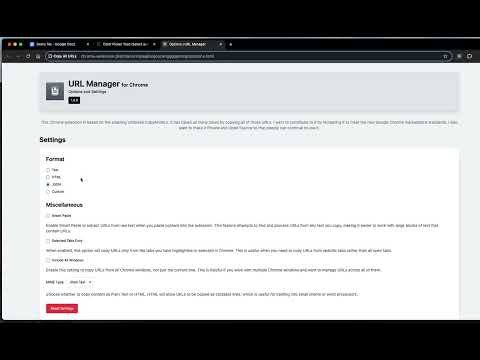
Umbrella saves the tabs you have open as plain text you can keep, send, or store anywhere — then turns that text back into open tabs whenever you need it. Working on something across a dozen pages and need to stop? Save them to a note and restore the whole set later. Handing research to a colleague? Send them a list they can reopen in one action. No account, no sync service, no sign-in. WHAT IT DOES • Save all open tabs to your clipboard in one click, one keyboard shortcut, or from the right-click menu • Paste a list back to reopen every link in it • Six output formats: URL only, title and link, HTML, JSON, delimited, or your own template • Custom templates using $url, $title, and $date, with configurable delimiters • Recent-copy history, kept on your device, so you can go back to an earlier set • Works across one window or all of them, and can be limited to just the ones you have highlighted • Light and dark themes, full keyboard navigation, and screen-reader support PRIVACY Umbrella runs entirely on your machine. It requests no access to the sites you visit, injects no scripts into pages, and loads nothing from the network — the extension pages make zero web requests. What you save goes to your clipboard and nowhere else. Open source: https://github.com/Flozad/copy-all-urls-extension Documentation: https://tabs.clasicwebtools.com/docs
4.2 out of 524 ratings
Details
- Version1.13.0
- UpdatedJuly 20, 2026
- Size62.07KiB
- LanguagesEnglish (United States)
- DeveloperWebsite
Email
clasicwebtools@gmail.com - Non-traderThis developer has not identified itself as a trader. For consumers in the European Union, please note that consumer rights do not apply to contracts between you and this developer.
Privacy

This developer declares that your data is
- Not being sold to third parties, outside of the approved use cases
- Not being used or transferred for purposes that are unrelated to the item's core functionality
- Not being used or transferred to determine creditworthiness or for lending purposes
Support
For help with questions, suggestions, or problems, visit the developer's support site