


總覽
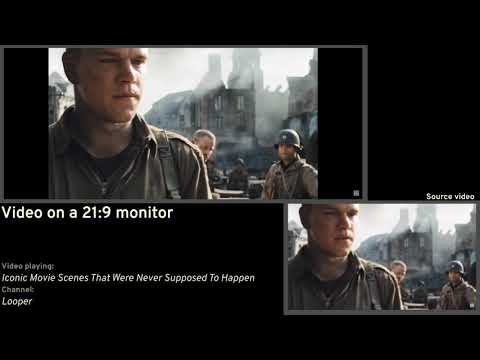
Removes black bars on ultrawide videos and offers advanced options to fix aspect ratio.
Removes unnecessary black bars from the videos. Youtube and Twitch are officially supported by default. You can enable it for other sites as well, but support for other sites is not guaranteed. Features: 1️⃣ Automatic aspect ratio detection (not supported on websites that utilize DRM. You may want to turn this option off when on battery power or when experiencing performance issues) 2️⃣ Crop to aspect ratio 3️⃣ Stretch video 4️⃣ Zoom video to aspect ratio Keyboard shortcuts also exist. -- Github's here: https://github.com/tamius-han/ultrawidify Full list of features (WIP): https://github.com/tamius-han/ultrawidify/wiki
3.4 分 (滿分 5 分)331 個評分
詳細資料
- 版本6.3.0
- 已更新2025年7月19日
- 提供者Tamius Han
- 大小8.93MiB
- 語言English
- 開發人員
電子郵件
tamius.han@gmail.com - 非交易商這位開發人員並未表明自己是交易商。歐盟地區的消費者請注意,消費者權利不適用於你和這位開發人員之間簽訂的合約。
隱私權

管理擴充功能,並瞭解貴機構的擴充功能使用情形
開發者已表示這項商品不會蒐集或使用你的資料。
這位開發者就你的資料做出下列聲明:
- 除經核准的用途外,不會將你的資料販售給第三方
- 不會基於與商品核心功能無關的目的,使用或轉移資料
- 不會為了確認信用度或基於貸款目的,使用或轉移資料
支援
如有疑問或建議,請使用電腦版瀏覽器開啟這個頁面