


Présentation
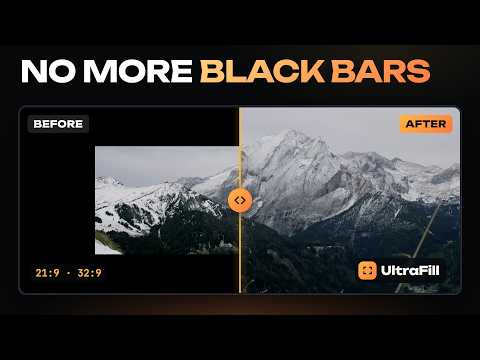
Supprime les bandes noires et adapte les vidéos aux écrans 21:9 et 32:9. Styles d'image, meilleur son, avance et boucle.
Got an ultrawide monitor but movies still have black bars? UltraFill fills the whole screen in one click. Hover the top of the video, click the UltraFill button and choose how to fill the screen: • Crop: no distortion, the bars disappear. • Elastic: stretches only the edges, faces in the center stay natural. • Stretch: the whole picture on the whole screen. The preview in the panel shows which part of the movie is visible. Drag the frame to choose more of the top or the bottom. FREE • Fill screen (crop, stretch) and automatic black bar detection • 16:9, 1.85, 2.20, 2.39, 21:9 and 4:3 formats • Zoom, move the frame, rotate and flip • Color and light: brightness, contrast, saturation, vibrance, temperature, shadows, highlights • Hold a key to see the original • Reset any tab of the panel with one click, with Undo • Themes (AMOLED included) and 10 languages PRO (7-day free trial, starts the first time you use a PRO feature, no card) • 12 picture styles and 7 film looks with a photo preview • Elastic stretch, sharpness and denoise • Ambient glow around the video that reacts to sound • Cinema mode: dims the page around the video in a window • Sound presets (movie at night, dialogue, music, headphones), clear dialog, loudness leveler, night mode, 5-band equalizer, volume above 100% • Balance, mono and audio delay • A profile for every title, remembered playback position, auto-fill in fullscreen • Preview how the movie fills another monitor (21:9, 32:9) • Before / after split screen, section loop • Speed from 0.1× to 16×, including custom values like 1.35 • 10-second seeking, frame by frame, sleep timer • Frame snapshot, picture in picture, custom shortcuts, Chrome sync Prices: $3.99 per month, $35.88 per year ($2.99 per month), $99 lifetime. Payments via Polar. Works in Google Chrome on Windows and macOS, on streaming services, video platforms and any site with video, including YouTube and Netflix. UltraFill is not affiliated with these services; their names belong to their owners. PROTECTED SITES (DRM) On sites with picture protection you pick the format manually. Framing, zoom and colors work everywhere. Sound tools work there too: click the UltraFill icon once (or press Alt+Shift+U, on Mac Option+Shift+U) and the tab's sound goes through UltraFill. Effects that read frames (denoise, glow, split screen) work on sites without protection. PRIVACY The extension collects no data and shows no ads. Settings stay in your browser. Tab sound is processed live on your computer and never recorded or sent
Détails
- Version1.9.0
- Dernière mise à jour6 novembre 2026
- FonctionnalitésPropose des achats via l'application
- Taille211KiB
- Langues10 langues
- DéveloppeurVULPES HOUSE SPÓŁKA Z OGRANICZONĄ ODPOWIEDZIALNOŚCIĄSite Web
Żabieniec 24 Bądkowo 87-704 PLE-mail
kacper@fenekmedia.plTéléphone
+48 538 443 890 - ProfessionnelCe développeur s'est identifié comme professionnel selon la définition de l'Union européenne et s'engage à ne proposer que des produits ou services conformes aux lois de l'UE.
- D-U-N-S369585105
Confidentialité

Ce développeur déclare que vos données :
- Ne seront pas vendues à des tiers en dehors des cas d'utilisation approuvés.
- Ne seront ni utilisées ni transférées à des fins sans rapport avec la fonctionnalité de base de l'article.
- Ne seront ni utilisées ni transférées pour déterminer votre solvabilité ou en vue de vous proposer un prêt.
Assistance
Pour obtenir de l'aide concernant des questions, des suggestions ou des problèmes, consultez le site d'assistance du développeur.


