


Overview
Ask UltraAI about the page or tabs you choose, rewrite or translate selected text, and insert the answer into any text field.
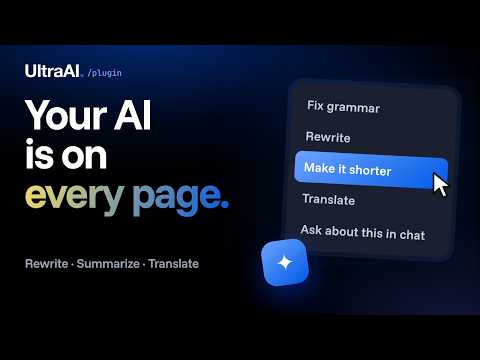
Read faster, write better, anywhere in Chrome. UltraAI lives in a side panel next to any page: summarize articles and YouTube videos, rewrite text in place, draft email replies in Gmail and Outlook, and compare several tabs at once. WHAT YOU CAN DO 📄 Summarize any page – Get the summary, key takeaways, an explanation or action items for the tab you're on, or just the part you highlight. ▶️ Summarize YouTube videos – Open a video and ask for a summary of the video itself. ✉️ Reply to emails in seconds – In Gmail, Outlook, Yahoo Mail and other webmail, UltraAI drafts a reply to the open thread or turns rough notes into a finished email. You review it and send it yourself. UltraAI never sends email for you. ✍️ Rewrite, fix and translate in place – Select text, right-click "Ask UltraAI about…" or use quick actions, then insert the result at the cursor or replace the selection. 💬 Writing help in any text box – A small button next to text fields gives you the same actions without leaving the page. Turn it on for all sites or only the ones you choose, and hide it anywhere. 🗂️ Compare multiple tabs – Add tabs to the "UltraAI tabs" group, or pick any tab group, and ask one question across all of them. 📸 Ask about what you see – Capture the whole page or drag to select an area, and attach images, PDFs and text files. 🕘 Pick up where you left off – Your chats are saved to your UltraAI account and available in history. KEYBOARD SHORTCUTS Open panel: Ctrl/⌘+Shift+U (Alt+Shift+U on Linux) Capture area: Alt+Shift+A Capture visible page: Alt+Shift+W Change them at chrome://extensions/shortcuts PRIVACY • No ads, no affiliate links, no analytics or tracking, no data sale. • Never reads password or payment fields. • Reads the tab you're on (and anything you highlight) only while the panel is open, and sends it only when you send a message, pick a suggestion or run a quick action. • In webmail, it reads the open thread's subject, messages and sender names only when you ask for a draft, after a one-time notice for each. It never reads recipients. • Connects only to UltraAI servers, AI model providers and our sign-in provider, plus YouTube to show a video's title and thumbnail. • Site access is up to you: allow all sites, or approve them one at a time. PLANS Free to use with a daily limit. Ultra plans and credit top-ups unlock more usage and more models, sold on ultrachatai.com (UltraAI, not Google, is the seller).
0 out of 5No ratings
Details
- Version1.0.2
- UpdatedNovember 23, 2026
- FeaturesOffers in-app purchases
- Size1.72MiB
- LanguagesEnglish
- DeveloperWebsite
Email
contact@ultrachatai.com - Non-traderThis developer has not identified itself as a trader. For consumers in the European Union, please note that consumer rights do not apply to contracts between you and this developer.
Privacy

UltraAI in Sidebar has disclosed the following information regarding the collection and usage of your data. More detailed information can be found in the developer's privacy policy.
UltraAI in Sidebar handles the following:
This developer declares that your data is
- Not being sold to third parties, outside of the approved use cases
- Not being used or transferred for purposes that are unrelated to the item's core functionality
- Not being used or transferred to determine creditworthiness or for lending purposes
Support
For help with questions, suggestions, or problems, visit the developer's support site