


نمای کلی
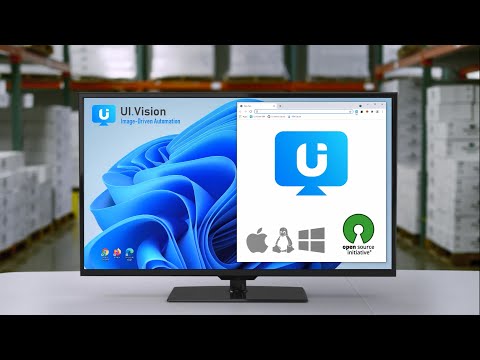
Task and UI test automation with Computer Vision/OCR. Ui.Vision combines browser automation and desktop automation.
Ui.Vision is an open-source automation RPA software that combines classic browser automation with modern computer vision and OCR: (1) Browser Automation Ui.Vision's computer vision commands make automating tasks inside the web browser easy. Existing Selenium IDE scripts can be imported. Conversion help for iMacros scripts is provided, too. (2) Desktop Automation for Windows, Mac, and Linux Beyond web browser automation, Ui.Vision can interpret images and text on the desktop, executing actions like clicking, moving, dragging and dropping the mouse, and simulating keyboard inputs. This desktop automation requires installing the free Ui.Vision XModules, available for Windows, Mac, and Linux. These modules provide Ui.Vision with the necessary capabilities for desktop interaction. (3) Anthropic Claude Computer Use Integration The AI commands allow you to automate complex tasks with a single line of code that would traditionally require hundreds of lines of classic commands. For example, you can teach Ui.Vision to play TicTacToe with just one short "Play this game..." prompt. (4) Command Line API Ui.Vision can be controlled from the command line. Thus it can be used from, and combined with, any programming or scripting language, such as Windows batch files, Linux/Mac shell scripts, Python or PowerShell. (5) Open-Source Ui.Vision is Open-Source. The source code is available on Github. (6) 100% Local Software The software does not send any data back to us or any other place. Everything, including image recognition and OCR processing, is done locally on your machine. The only exception to the "all data is processed locally" rule is if you select the optional AI commands. But these cloud-features are disabled by default. The default computer vision (image recognition and OCR) runs 100% locally on the machine. **Happy Automating!** For questions and suggestions, please visit the Ui.Vision community forum at https://forum.ui.vision.
۳٫۹ از ۵۲۳۹ ردهبندی
جزئیات
- نسخه9.5.9
- تاریخ بهروزرسانی۳ آبان ۱۴۰۴
- اندازه8.09MiB
- زبانها۳ زبان
- توسعهدهنده
- غیرتاجراین توسعهدهنده خودش را بهعنوان فروشنده معرفی نکرده است. اگر مصرفکنندهای در اتحادیه اروپا هستید لطفاً توجه داشته باشید که حقوق مصرفکننده برای قراردادهای میان شما و این توسعهدهنده اعمال نمیشود.
حریم خصوصی

این توسعهدهنده اعلام میکند که دادههای شما
- خارج از موارد استفاده تأییدشده، به اشخاص ثالث فروخته نمیشود
- برای اهداف نامرتبط با عملکرد اصلی مورد استفاده یا منتقل نمیشود
- برای تعیین اعتبارمندی یا برای اهداف وامدهی استفاده یا منتقل نمیشود
پشتیبانی
برای دریافت راهنمایی درباره سؤالها، پیشنهادها، یا مشکلات، از سایت پشتیبانی توسعهدهنده بازدید کنید