

Uiprobe - Compare your site to your Figma design

Overview
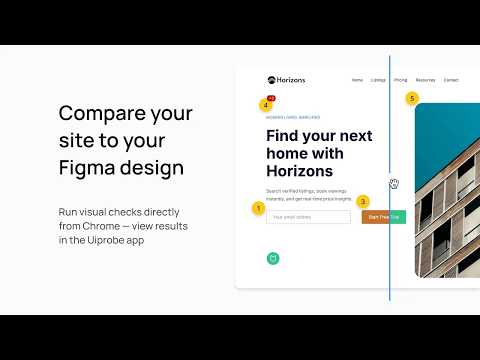
Automatically detect spacing, typography, color, and layout differences between your Figma design and live website.
Works on localhost and login-gated pages. Open any page in Chrome, paste your Figma frame URL, and run a probe. You'll see exactly where your implementation diverges from the design. Before review. Before you hand it over. Uiprobe requires a Figma account. Sign in with Figma to get started. A Dev or Full Figma seat works best. Figma gives View and Collab seats very limited API access, so on those seats you send frames from our Figma plugin instead. How it works 1. Open the page you're working on in Chrome. 2. Click the Uiprobe icon and choose Create new. 3. Paste the URL of the Figma frame the page is built from, and click Create. The probe starts running right away. 4. When it completes, the popup shows your findings per section: Properties, Spacing and Unverified. Open the probe in Uiprobe to go through each finding next to the design. After you change the page, run the probe again to capture a new version. Earlier versions are kept, so you can see how the page developed between runs. Key features • Property-level comparison: we read the CSS values on the page and compare them with the values in your Figma frame. • Works on localhost and login-gated pages: the capture happens in your own browser, so the page doesn't need to be public. • Findings grouped by type: Properties, Spacing, and Unverified for elements we can't map yet. • Drafts from Figma: send a frame from the Uiprobe Figma plugin, then finish the probe here, on the page it belongs to. • Several probes per page: compare different states, sections or viewports of one URL against different Figma frames. • Named probes, saved where you want them: name a probe when you create it and save it to My probes, one of your projects, or your team. Why we built it Checking a build against its design usually means switching between Figma and the browser, taking screenshots and writing comments. It's an annoying, draining time sink for developers and designers alike. We built Uiprobe so you get specific findings on the page itself, before you hand it over. • Frontend developers check their implementation against the design as they build. • Designers review implementations without screenshotting and annotating. • QA engineers get a repeatable check against the original design. Plans • Free: 3 runs, lifetime. • Pro and Team: unlimited runs. Team adds a shared space where your whole team works on the same probes and projects. A run counts once it completes. Failed runs don't count, and you can always open your existing probes and findings. Plans and prices: https://uiprobe.io/pricing Requirements • A Figma account. A Dev or Full seat is recommended. On a View or Collab seat, use the Uiprobe Figma plugin to send frames. • Google Chrome • An internet connection What's new in 0.12 (October 2026) • A redesigned popup. Each probe has its own page with its status, its findings per section and links to the Uiprobe app and the Figma frame. • More than one probe per page. The popup lists every probe on the current URL, including your teammates' probes. • Name a probe and choose where it's saved when you create it. • Run progress shows in the popup, stage by stage. • Paid plans: Pro and Team come with unlimited runs. On Free, the popup shows how many runs you have left.
5 out of 51 rating
Details
- Version0.12.0
- UpdatedOctober 5, 2026
- Size86.73KiB
- LanguagesEnglish
- DeveloperWebsite
Email
maarten@uiprobe.io - Non-traderThis developer has not identified itself as a trader. For consumers in the European Union, please note that consumer rights do not apply to contracts between you and this developer.
Privacy

Uiprobe - Compare your site to your Figma design has disclosed the following information regarding the collection and usage of your data. More detailed information can be found in the developer's privacy policy.
Uiprobe - Compare your site to your Figma design handles the following:
This developer declares that your data is
- Not being sold to third parties, outside of the approved use cases
- Not being used or transferred for purposes that are unrelated to the item's core functionality
- Not being used or transferred to determine creditworthiness or for lending purposes
Support
For help with questions, suggestions, or problems, visit the developer's support site