

UiPath XAML Viewer
1 rating
)
Overview
Instantly visualize UiPath workflow XAML files as interactive diagrams on GitHub and GitLab.
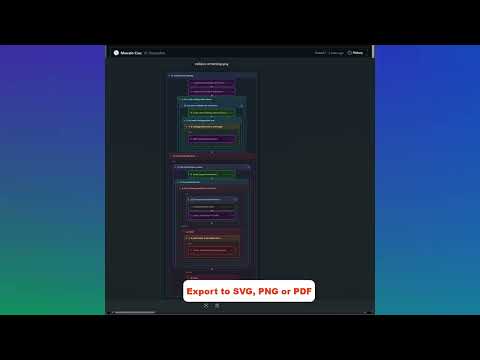
UiPath XAML Viewer helps developers, reviewers, and automation teams understand UiPath workflows without leaving GitHub and GitLab. Open any .xaml file on GitHub or GitLab and switch from raw XAML to a navigable visual view built for code review. Highlights: - Visualize Sequence, Flowchart, and State Machine workflows - Switch between Diagram, Outline, and Graph views - Search, zoom, pan, collapse containers, and use keyboard shortcuts - Inspect arguments, scoped variables, annotations, transitions, and activity properties - Open referenced workflows from InvokeWorkflowFile activities and preview target arguments - Compare commits, pull requests, merge requests, and branch changes with side-by-side visual workflow diffs - Export diagrams as SVG, PNG, or PDF - Supports Classic and Modern UiPath projects, dark mode, GitHub Enterprise Server, and self-hosted GitLab Privacy: - No analytics, tracking, or data collection - Optional tokens stay in chrome.storage.local in your browser profile only
5 out of 51 rating
Details
- Version1.1.0
- UpdatedMay 2, 2026
- Offered byMarcelo Cruz
- Size142KiB
- LanguagesEnglish
- Developer
Email
marcelocruz.rpa@gmail.com - Non-traderThis developer has not identified itself as a trader. For consumers in the European Union, please note that consumer rights do not apply to contracts between you and this developer.
Privacy

UiPath XAML Viewer has disclosed the following information regarding the collection and usage of your data. More detailed information can be found in the developer's privacy policy.
UiPath XAML Viewer handles the following:
This developer declares that your data is
- Not being sold to third parties, outside of the approved use cases
- Not being used or transferred for purposes that are unrelated to the item's core functionality
- Not being used or transferred to determine creditworthiness or for lending purposes
Support
For help with questions, suggestions, or problems, visit the developer's support site