

UI Enhancer for Gemini
12 ratings
)
Overview
Enhances Gemini interface with useful tools: Wide Mode, Snippets, Multi-Ask, Minimap Navigation & Code Expander.
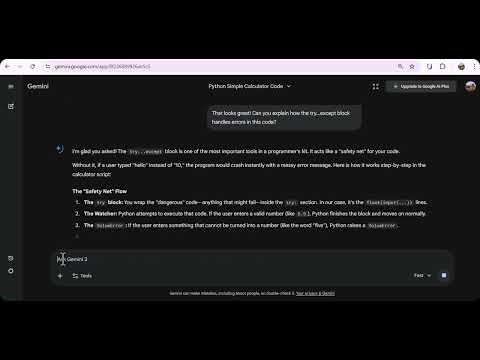
Transform your Google Gemini™ experience into a professional productivity powerhouse. UI Enhancer for Gemini is a comprehensive toolkit designed for developers, writers, and power users who want more control over the Gemini interface. No more scrolling endlessly or struggling with narrow code blocks. 🔰 Key Features: ✅ Wide Mode (Full Width) Break free from the narrow central column. Utilize your entire screen width to view long lines of code, complex data tables, and detailed responses without awkward wrapping. ✅ Minimap Timeline Navigation Easily navigate long conversations with a sleek, modern timeline track. Hover over the side indicator to instantly reveal a list of your messages and click to jump directly to any prompt without cluttering your screen. ✅ Text Snippets Manager Save your frequently used prompts as templates. Insert complex instructions or repetitive text with a single click (or use the "Type first word + Arrow Right" shortcut) to speed up your workflow. ✅ Multi-Ask Select multiple parts of Gemini's response simultaneously. The extension collects your selections and attaches them to your input box, making it easy to ask specific questions about different parts of a long answer in one go. ✅ Code Expander Automatically collapses long code blocks to keep your chat interface clean. Use the "Show More" button to view the code only when you need it. 🔒 Privacy Focused This extension operates entirely locally on your browser. It does not collect, store, or transmit your chat data or personal information. Upgrade your AI workflow today with UI Enhancer for Gemini!
4.6 out of 512 ratings
Details
- Version1.1.3
- UpdatedSeptember 17, 2026
- Offered bycore42x
- Size45.6KiB
- LanguagesEnglish
- Developer
Email
core42x@gmail.com - Non-traderThis developer has not identified itself as a trader. For consumers in the European Union, please note that consumer rights do not apply to contracts between you and this developer.
Privacy

This developer declares that your data is
- Not being sold to third parties, outside of the approved use cases
- Not being used or transferred for purposes that are unrelated to the item's core functionality
- Not being used or transferred to determine creditworthiness or for lending purposes
Support
For help with questions, suggestions, or problems, visit the developer's support site