


總覽
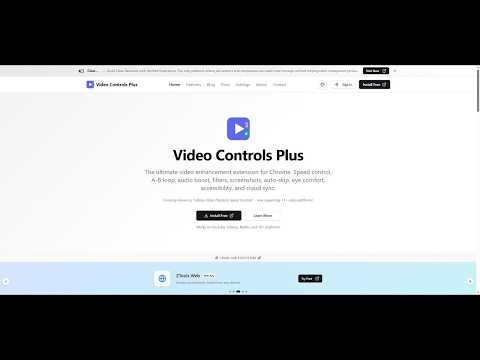
Speed control, A-B loop, audio boost, video filters, screenshots, and more for YouTube, Netflix, Udemy & 10+ sites
Video Controls Plus - Take complete control of your video watching experience with over 100+ powerful features running privately in your browser. SPEED CONTROL Adjust playback speed from 0.1x to 16.0x with precisedocs/store-submissions/chrome/CHROME-WEB-STORE-LISTING.md 0.1x increments. Set up to 8 customizable preset speeds accessible instantly via keyboard. The extension remembers your preferred speed for each video automatically. Choose from three display modes: floating widget, player overlay, or notification-only. A-B LOOP Loop any section of a video by setting start and end points. Three loop modes available: loop forever, play once then continue, or set a custom count (1-20 times) with visual progress. Great for learning, practicing, or reviewing specific content. ADVANCED PLAYBACK & NAVIGATION Picture-in-Picture mode keeps video visible while you multitask. A sleep timer pauses playback automatically after a set duration. Navigate frame-by-frame securely, use instant replay to catch missed details, automatically skip periods of silence, or jump past intros/outros to save time on long videos. AUDIO ENHANCEMENT Boost volume up to 400% for quiet videos. Audio normalization reduces sudden volume changes for consistent listening. Includes hearing protection warnings at high volumes. Complete with a full audio equalizer, bass boost, noise reduction engine, and vocal isolation (karaoke mode) for studio-quality sound control. VIDEO FILTERS & VISUAL EFFECTS Adjust brightness, contrast, and saturation. One-click effects include grayscale, invert colors, and night mode for reduced eye strain. Quick presets let you switch between normal, night, and cinema modes instantly. Access advanced effects like cinematic color grading, film grain, vintage sepia, glitch effects, and pixel art filters. VIDEO NOTES & BOOKMARKS Attach timestamped, color-coded notes directly to any moment in a video. Export your notes as Markdown, JSON, or plain text. Bookmark key moments for easy retrieval later. Great for students, researchers, and content creators. SCREENSHOT & VIDEO EXTRACTION Save any video frame as PNG or JPEG. Add optional timestamp watermarks. Download directly or copy to clipboard. Download video transcripts, high-resolution thumbnails, and extract detailed video metadata instantly. SMART WIDGET BEHAVIOR Widget automatically hides during fullscreen video playback for distraction-free viewing. First-time visitors see a helpful indicator to locate controls. Drag to reposition, click to open - intuitive interaction that stays out of your way. PER-SITE CONTROLS Enable or disable the extension for specific websites. All settings auto-save immediately when changed. Your preferences persist across browser sessions. CLOUD SYNC Sign in with Google to sync your settings and video notes across devices. Export and import settings manually. GDPR compliant with full data export and deletion options. KEYBOARD SHORTCUTS Every feature has customizable keyboard shortcuts. Adjust speed with [ and ], set loop points with A and B, toggle features instantly, and more. All shortcuts can be remapped in settings. THEME CUSTOMIZATION Choose from 20 color schemes, 11 fonts, and multiple border radius options. Light, dark, and system-adaptive modes available. Accessibility options include reduced motion, compact mode, colorblind-friendly overlays, and video magnification. PRIVACY FOCUSED Works fully offline without sign-in. All processing happens locally in your browser—no data is sent to servers unless cloud sync is enabled. Third-party analytics can be disabled in settings. We never sell your data. Full GDPR and CCPA compliance with data export and deletion available. COMPATIBILITY Works on any website with HTML5 video players. Compatible with major video streaming services, social media, and educational platforms. CONTACT US Questions, suggestions, or feature requests? Click Feedback in the extension popup or visit https://vcpeai.aoneahsan.com/contact
4.3 分 (滿分 5 分)31 個評分
詳細資料
隱私權

「Video Controls Plus」已揭露下列關於收集及使用資料的資訊。 如需更多詳細資訊,請參閱開發人員的《privacy policy》。
Video Controls Plus 會處理下列資料:
這位開發者就你的資料做出下列聲明:
- 除經核准的用途外,不會將你的資料販售給第三方
- 不會基於與商品核心功能無關的目的,使用或轉移資料
- 不會為了確認信用度或基於貸款目的,使用或轉移資料
支援
如有疑問或建議,請使用電腦版瀏覽器開啟這個頁面