


概述
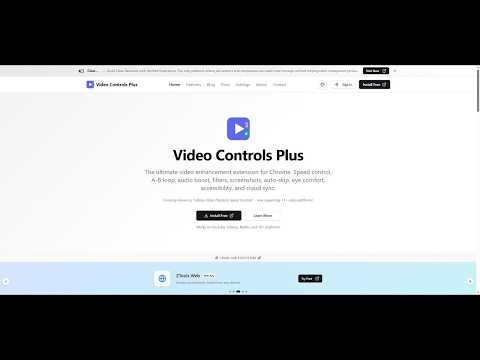
Speed control, A-B loop, audio boost, video filters, screenshots, and more for YouTube, Netflix, Udemy & 10+ sites
Video Controls Plus - Take complete control of your video watching experience. SPEED CONTROL Adjust playback speed from 0.1x to 4.0x with precise 0.1x increments. Set up to 8 customizable preset speeds accessible instantly via keyboard. The extension remembers your preferred speed for each video automatically. Choose from three display modes: floating widget, player overlay, or notification-only. A-B LOOP Loop any section of a video by setting start and end points. Three loop modes available: loop forever, play once then continue, or set a custom count (1-20 times) with visual progress. Great for learning, practicing, or reviewing specific content. AUDIO ENHANCEMENT Boost volume up to 400% for quiet videos. Audio normalization reduces sudden volume changes for consistent listening. Includes hearing protection warnings at high volumes. VIDEO FILTERS Adjust brightness, contrast, and saturation. One-click effects include grayscale, invert colors, and night mode for reduced eye strain. Quick presets let you switch between normal, night, and cinema modes instantly. SCREENSHOT CAPTURE Save any video frame as PNG or JPEG. Add optional timestamp watermarks. Download directly or copy to clipboard. SMART WIDGET BEHAVIOR Widget automatically hides during fullscreen video playback for distraction-free viewing. First-time visitors see a helpful indicator to locate controls. Drag to reposition, click to open - intuitive interaction that stays out of your way. PER-SITE CONTROLS Enable or disable the extension for specific websites. All settings auto-save immediately when changed. Your preferences persist across browser sessions. CLOUD SYNC Sign in with Google to sync your settings across devices. Export and import settings manually. GDPR compliant with full data export and deletion options. KEYBOARD SHORTCUTS Every feature has customizable keyboard shortcuts. Adjust speed with [ and ], set loop points with A and B, toggle features instantly, and more. All shortcuts can be remapped in settings. THEME CUSTOMIZATION Choose from 20 color schemes, 11 fonts, and multiple border radius options. Light, dark, and system-adaptive modes available. Accessibility options include reduced motion and compact mode. PRIVACY FOCUSED Works fully offline without sign-in. Third-party analytics can be disabled in settings. We never sell your data. Full GDPR and CCPA compliance with data export and deletion available. COMPATIBILITY Works on any website with HTML5 video players. Compatible with major video streaming services and educational platforms. CONTACT US Questions, suggestions, or feature requests? Click Feedback in the extension popup or visit https://vcpeai.aoneahsan.com/contact
4.1 星(5 星制)26 个评分
详情
隐私权

“Video Controls Plus”已就收集和使用用户数据披露了以下信息。 如需了解详情,请查看开发者的privacy policy。
Video Controls Plus会处理以下数据:
该开发者已声明,您的数据:
- 不会因未获批准的用途出售给第三方
- 不会为实现与产品核心功能无关的目的而使用或转移
- 不会为确定信用度或放贷目的而使用或转移
支持
若有任何疑问、建议或问题,请在桌面浏览器中打开此页面