


ภาพรวม
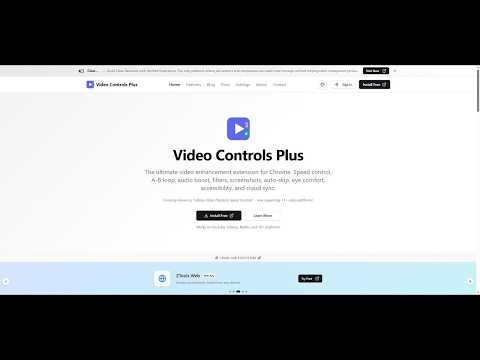
Speed control, A-B loop, audio boost, video filters, screenshots, and more for YouTube, Netflix, Udemy & 10+ sites
Video Controls Plus - Take complete control of your video watching experience. SPEED CONTROL Adjust playback speed from 0.1x to 4.0x with precise 0.1x increments. Set up to 8 customizable preset speeds accessible instantly via keyboard. The extension remembers your preferred speed for each video automatically. Choose from three display modes: floating widget, player overlay, or notification-only. A-B LOOP Loop any section of a video by setting start and end points. Three loop modes available: loop forever, play once then continue, or set a custom count (1-20 times) with visual progress. Great for learning, practicing, or reviewing specific content. AUDIO ENHANCEMENT Boost volume up to 400% for quiet videos. Audio normalization reduces sudden volume changes for consistent listening. Includes hearing protection warnings at high volumes. VIDEO FILTERS Adjust brightness, contrast, and saturation. One-click effects include grayscale, invert colors, and night mode for reduced eye strain. Quick presets let you switch between normal, night, and cinema modes instantly. SCREENSHOT CAPTURE Save any video frame as PNG or JPEG. Add optional timestamp watermarks. Download directly or copy to clipboard. SMART WIDGET BEHAVIOR Widget automatically hides during fullscreen video playback for distraction-free viewing. First-time visitors see a helpful indicator to locate controls. Drag to reposition, click to open - intuitive interaction that stays out of your way. PER-SITE CONTROLS Enable or disable the extension for specific websites. All settings auto-save immediately when changed. Your preferences persist across browser sessions. CLOUD SYNC Sign in with Google to sync your settings across devices. Export and import settings manually. GDPR compliant with full data export and deletion options. KEYBOARD SHORTCUTS Every feature has customizable keyboard shortcuts. Adjust speed with [ and ], set loop points with A and B, toggle features instantly, and more. All shortcuts can be remapped in settings. THEME CUSTOMIZATION Choose from 20 color schemes, 11 fonts, and multiple border radius options. Light, dark, and system-adaptive modes available. Accessibility options include reduced motion and compact mode. PRIVACY FOCUSED Works fully offline without sign-in. Third-party analytics can be disabled in settings. We never sell your data. Full GDPR and CCPA compliance with data export and deletion available. COMPATIBILITY Works on any website with HTML5 video players. Compatible with major video streaming services and educational platforms. CONTACT US Questions, suggestions, or feature requests? Click Feedback in the extension popup or visit https://vcpeai.aoneahsan.com/contact
4.1 จาก 5 คะแนนการให้คะแนน 26 รายการ
รายละเอียด
- รุ่น14.0.0
- อัปเดตแล้ว5 มีนาคม 2569
- ขนาด1.27MiB
- ภาษา4 ภาษา
- นักพัฒนาซอฟต์แวร์Zaionsเว็บไซต์
H#29/A, St#189/2, new bhogiwal, baghbanpura, lahore Lahore 54000 PKอีเมล
aoneahsan@gmail.com - ไม่ใช่ผู้ค้านักพัฒนาซอฟต์แวร์รายนี้ไม่ได้ระบุว่าตัวเองเป็นผู้ค้า สำหรับผู้บริโภคในสหภาพยุโรป โปรดทราบว่าสิทธิของผู้บริโภคไม่มีผลกับสัญญาระหว่างคุณกับนักพัฒนาซอฟต์แวร์รายนี้
ความเป็นส่วนตัว

Video Controls Plus ได้เปิดเผยข้อมูลต่อไปนี้ซึ่งเกี่ยวกับการเก็บรวบรวมและการใช้ข้อมูลของคุณ ดูข้อมูลโดยละเอียดเพิ่มเติมได้ที่privacy policyของนักพัฒนาแอป
Video Controls Plus จะจัดการสิ่งต่อไปนี้
นักพัฒนาซอฟต์แวร์รายนี้ประกาศว่าข้อมูลของคุณจะ
- ไม่ถูกขายไปยังบุคคลที่สามหากไม่ใช่ Use Case ที่ได้รับอนุมัติ
- ไม่ถูกใช้หรือถูกโอนเพื่อวัตถุประสงค์ที่ไม่เกี่ยวข้องกับฟังก์ชันการทำงานหลักของรายการ
- ไม่ถูกใช้หรือถูกโอนเพื่อพิจารณาความน่าเชื่อถือทางเครดิตหรือเพื่อวัตถุประสงค์การให้สินเชื่อ
สนับสนุน
โปรดเปิดหน้านี้บนเบราว์เซอร์ในเดสก์ท็อป หากมีข้อสงสัย ต้องการขอคำแนะนำ หรือประสบปัญหาใดๆ