

Typist
3 ratings
)
Overview
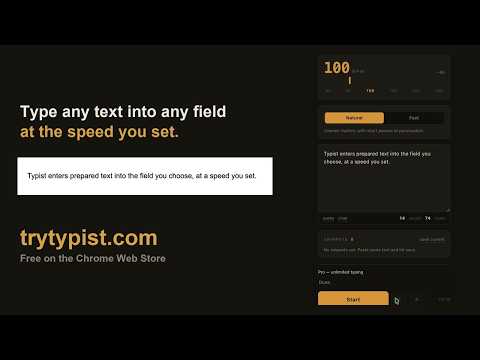
Type saved text into a focused field at a speed you choose.
Typist enters text you provide into a focused field, one character at a time, at a pace you choose. Write or paste your text in the Typist side panel, click the field where it should go, and press Start. Choose a speed from 20 to 400 words per minute, then pause, resume, or stop whenever you want. Typist is useful for accessibility, browser demonstrations, recordings, and paced text entry. It works with standard text inputs, text areas, and many rich-text editors. - AI Rewrite: paste a draft and a sample of your own writing, and get the draft back rewritten to sound like you. You review it, then accept, copy, or discard it. Sent only when you press Rewrite; the text is not stored. - Saved snippets can sync across your signed-in devices. Your typed text stays in your browser; only snippets you explicitly save are stored for sync. Free includes 300 words per day, 3 saved snippets, and 1 AI rewrite to try. Typist Pro removes the word and snippet limits and includes unlimited AI rewrites under a fair-use limit of 50 per day.
5 out of 53 ratings
Details
- Version1.0.7
- UpdatedOctober 16, 2026
- Offered byTypist
- Size56.9KiB
- LanguagesEnglish
- Developer
Email
Support@trytypist.com - Non-traderThis developer has not identified itself as a trader. For consumers in the European Union, please note that consumer rights do not apply to contracts between you and this developer.
Privacy

Typist has disclosed the following information regarding the collection and usage of your data. More detailed information can be found in the developer's privacy policy.
Typist handles the following:
This developer declares that your data is
- Not being sold to third parties, outside of the approved use cases
- Not being used or transferred for purposes that are unrelated to the item's core functionality
- Not being used or transferred to determine creditworthiness or for lending purposes
Support
For help with questions, suggestions, or problems, please open this page on your desktop browser