


Overview
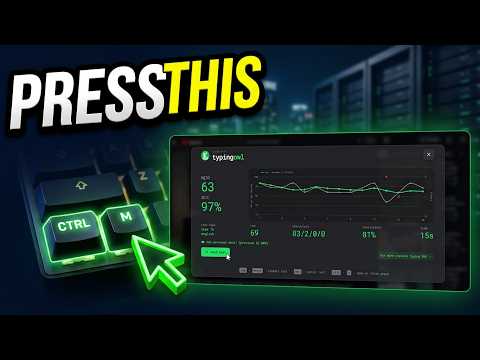
Open a Typing Owl quick typing test as a clean, Monkeytype-style overlay on your current webpage.
Typing Owl lets you take a quick typing test on any webpage without leaving the page you're on. Click the toolbar icon, or press Ctrl+M, and the test opens as an overlay on top of the current tab. Type, see your result, and get back to what you were doing. FEATURES - Opens as an overlay on the current page, with no new tab or window - Shows your speed (WPM), accuracy and time, with a chart of your performance - Choose the test length and turn punctuation and numbers on or off - Keeps your personal best score - Keyboard shortcuts: Ctrl+M to open or close, Esc to cancel a running test, Esc twice to close the popup HOW TO USE 1. Install the extension and pin it to your toolbar. 2. Open any website and click the Typing Owl icon, or press Ctrl+M. 3. Start typing to begin the test. PRIVACY Typing Owl does not collect, transmit or share any personal data. Your settings and personal best are saved locally in your browser only.
5 out of 54 ratings
Details
- Version2.4.0
- UpdatedOctober 13, 2026
- Size46.02KiB
- LanguagesEnglish
- DeveloperPawan PaudelWebsite
Myagde-07, Payer Tanahun 33900 NPEmail
pawan.paudel2054@gmail.comPhone
+977 980-5805707 - TraderThis developer has identified itself as a trader per the definition from the European Union and committed to only offer products or services that comply with EU laws.
Privacy

This developer declares that your data is
- Not being sold to third parties, outside of the approved use cases
- Not being used or transferred for purposes that are unrelated to the item's core functionality
- Not being used or transferred to determine creditworthiness or for lending purposes
Support
For help with questions, suggestions, or problems, please open this page on your desktop browser