

TypeGo - Address Bar Search & Site Navigator
1 rating
)
Overview
Search Google, ChatGPT, YouTube & ANY site from the address bar. Switch engines, search history & bookmarks, add custom shortcuts.
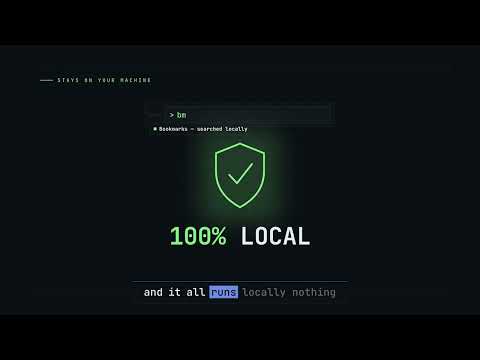
TypeGo — Command-line search for your address bar Stop opening tabs and waiting for sites to load just to search. TypeGo turns your address bar into a command line for the web — search or jump to any site in a single step. HOW IT WORKS 1. Type "as" in the address bar, then press Tab (or Space) 2. Type an engine key + your query, then press Enter EXAMPLES • yt lo-fi music → Search "lo-fi music" on YouTube • gh react → Search "react" on GitHub • gt hello world → Translate "hello world" • g weather → Search Google • bm design → Search your bookmarks • hs docs → Search your browsing history • yt (no query) → Open YouTube directly Tip: Skip the query to open a site — "gh" opens GitHub, "wik" opens Wikipedia. RIGHT-CLICK SEARCH Two context-menu shortcuts work anywhere: • Select text on a page → right-click → pick an engine → the result opens in a new tab. Your popup engines show up here, default first. • Right-click any page → "Add this site as search engine" → TypeGo auto-detects the search keyword and prefills a new engine for you to confirm. PRIVATE BY DESIGN The "bm" (bookmarks) and "hs" (history) commands read your data locally to power search. Nothing is collected, uploaded, or tracked — ever. FEATURES • One-step search — engine key + query, press Enter • Right-click search — search selected text with any engine, in a new tab • Add site from page — turn any site into an engine in one click (keyword auto-detected) • Flexible triggers — works with Tab or Space • Built-in engines — Google, YouTube, GitHub, Translate, Wikipedia, and more • Custom engines — add any site by its search URL pattern • Custom keys — define your own shortcuts • Lightweight — minimal permissions, no tracking, fast • Keyboard-first — built for developers and power users WHY TYPEGO? Most web searches take three steps: open the site, wait for it to load, then type your query. It's slow and repetitive. TypeGo collapses all of that into a single keystroke — straight from the address bar, no extra tabs, no clicking. Whether you're a developer, researcher, or daily power user, it saves time and keeps you in flow.
5 out of 51 rating
Details
- Version1.1.1
- UpdatedJuly 26, 2026
- Offered bylehosea
- Size458KiB
- Languages4 languages
- Developernone
Chao Yang Bei Lu Changping Qu, Beijing Shi 200222 CNEmail
lehosea@gmail.com - Non-traderThis developer has not identified itself as a trader. For consumers in the European Union, please note that consumer rights do not apply to contracts between you and this developer.
Privacy

This developer declares that your data is
- Not being sold to third parties, outside of the approved use cases
- Not being used or transferred for purposes that are unrelated to the item's core functionality
- Not being used or transferred to determine creditworthiness or for lending purposes
Support
For help with questions, suggestions, or problems, please open this page on your desktop browser