

Type-ahead-find
383 valoraciones
)
Descripción general
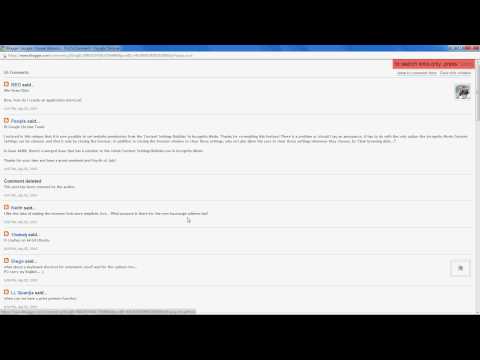
Find text or links as you type
Type-ahead-find [1] is an accessibility feature to search links and text faster on a webpage. How to use it: * Start writing (or press /) to start text search. * Press ' to search only links. * Change option "direct search state" to set the default search policy (text, links or disabled). * Use (Shift+)F3 or (Shift+)Control+G or Alt+N/P to switch between matches. * Use F4 to toggle matching mode (text/links) once the search is active. * Blacklist sites that set up their own shortcuts. * The search shows first matches in current viewport. Limitations: * It cannot search inside iframes. * It does not search text in adjacent HTML nodes (i.e. "hello" won't be found in HTML <b>He</b>llo) * If the page already sets Javascript keybidings, the extension may misbehave. The best solution is to blacklist the site in the options page and disable the extension for this particular website.
4,5 de 5383 valoraciones
Detalles
- Versión0.4.7
- Actualizado27 de marzo de 2025
- Ofrecido portypeaheadfind
- Tamaño18.32KiB
- IdiomasEnglish
- Desarrollador
Correo electrónico
typeaheadfind@gmail.com - No operadorEste desarrollador no se ha identificado como operador. Los consumidores residentes en la Unión Europea deben tener en cuenta que los derechos de los consumidores no son aplicables a los contratos que suscriban con este desarrollador.
Privacidad

Este desarrollador declara que tus datos:
- No se venden a terceros, excepto en los casos de uso aprobados
- No se usan ni se transfieren para fines no relacionados con la función principal del elemento.
- No se usan ni se transfieren para determinar la situación crediticia ni para ofrecer préstamos.
Ayuda
Si tienes alguna pregunta, sugerencia o problema, visita el sitio de asistencia del desarrollador.