

Twitter Exporter: Tweets & Followers to CSV

Overview
Export tweets, followers, following, bookmarks, likes, DMs and media from Twitter/X to CSV. Handles rate limits automatically.
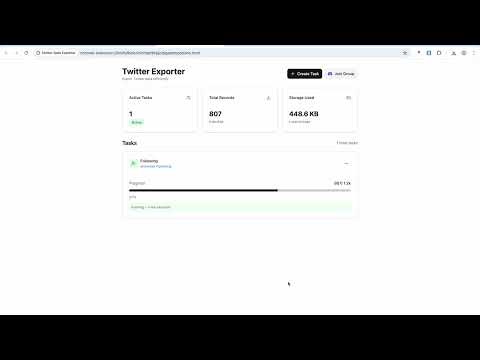
Export Twitter/X data to CSV in one click: tweets from any user, followers, following, verified followers, bookmarks, likes, lists, community members, search results, DMs and block lists, plus download media as ZIP. Built for large accounts, with automatic rate-limit handling, resume after interruption, and background exports. Everything runs locally in your browser. No API key, no login to a third-party site, and your data never leaves your device. ========== What You Can Export ========== 【Followers & Users】 • Export Twitter followers of any account to CSV • Export following list (accounts a user follows) • Export verified followers only • Export community members (up to 9,300 members) • Export list members and list followers of any Twitter list • Export retweeters of any tweet • Export your block list, muted accounts and muted keywords (migrate them to another account) 【Tweets & Content】 • Export all tweets from any user (up to 1,500 tweets) • Export Twitter bookmarks, all or by bookmark folder • Export your liked tweets (Twitter likes) • Export search results: tweets, people and media • Export DM messages, including message media ========== Why Twitter Exporter ========== • Auto rate-limit handling: intelligently handles X's rate limits and soft throttling, so exports don't stall • Resume from breakpoint: continue from the last progress after an interruption, never lose data • Background execution: long-running exports keep going without keeping the page open • Bulk processing: handles large accounts with hundreds of thousands of followers • CSV output: open in Excel or Google Sheets, or feed into your own scripts • Media download: save images and videos as a ZIP file ========== Use Cases ========== • Back up your Twitter/X data: bookmarks, likes, tweets, DMs • Analyze an account's followers for research or marketing • Sync block lists between multiple accounts • Export community members for community management • Research and analyze social network relationships ========== How to Use ========== 1. Install the extension and open x.com (twitter.com) 2. Go to the target profile, list, community or search page 3. Click the extension icon and choose the data type to export 4. The extension collects the data automatically 5. Download the result as CSV (or media as ZIP) when complete ========== Important Notes ========== • Large account exports may take a long time (hours to days) • Keep the browser running so background tasks can finish • Follow X's Terms of Service; for personal, reasonable use only • Export speed is limited by X's own restrictions, please be patient ========== Feature Requests ========== Need to export another type of Twitter data? Join our Discord to submit a request: https://discord.gg/gFhKUthc88 We keep adding new export types based on user requests. ========== Privacy ========== This extension processes data locally only. None of your information is uploaded to external servers. All data is saved directly to your device. ========== Support ========== Website & guides: https://store.rxliuli.com/extensions/twitter-exporter/ Discord community: https://discord.gg/gFhKUthc88
4.4 out of 550 ratings
Details
- Version0.8.70
- UpdatedNovember 19, 2026
- FeaturesOffers in-app purchases
- Size1.41MiB
- LanguagesEnglish
- DeveloperWebsite
Email
rxliuli@gmail.com - Non-traderThis developer has not identified itself as a trader. For consumers in the European Union, please note that consumer rights do not apply to contracts between you and this developer.
Privacy

This developer declares that your data is
- Not being sold to third parties, outside of the approved use cases
- Not being used or transferred for purposes that are unrelated to the item's core functionality
- Not being used or transferred to determine creditworthiness or for lending purposes
Support
For help with questions, suggestions, or problems, please open this page on your desktop browser