


Overview
Twitter Bulk Delete - Mass Delete Tweets, Export X Posts & Clean Your Twitter History for Privacy
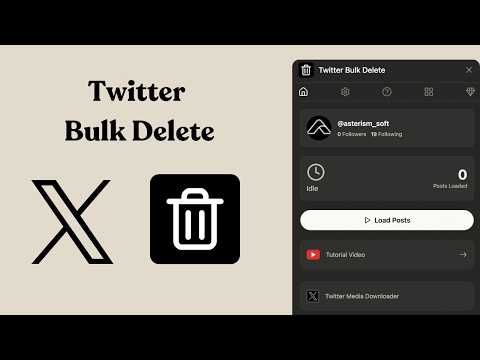
🧹 Twitter Bulk Delete: Mass Delete Tweets, Export X Posts & Clean Your Twitter History Take control of your Twitter/X profile with Twitter Bulk Delete, a fast, simple, and privacy-focused Chrome extension for deleting tweets in bulk, exporting posts, cleaning old content, and managing your online reputation. Whether you want to remove outdated tweets, delete embarrassing posts, clean up replies and retweets, protect your privacy, or refresh your digital footprint, Twitter Bulk Delete helps you manage your X history without wasting hours deleting posts one by one. Unlike risky online tweet deletion tools that require you to upload your Twitter archive or share sensitive data, Twitter Bulk Delete works directly inside your browser ✅. Your posts stay on your device, giving you a safer and more private way to delete tweets, export posts, and manage your Twitter account. 🌟 Why Choose Twitter Bulk Delete? 1️⃣ 🚀 Bulk Delete Tweets Quickly Delete multiple tweets, replies, reposts, and old X posts in batches. Instead of manually deleting tweets one at a time, Twitter Bulk Delete helps you clean your Twitter timeline faster and more efficiently. It is ideal for users who want to remove old content, reset their profile, or maintain a more professional online presence. 2️⃣ 🔍 Search, Filter & Target Specific Posts Find and delete the exact posts you want using smart filters. You can narrow down your Twitter/X history by: ✅ Keywords ✅ Hashtags ✅ Date ranges ✅ Replies ✅ Reposts ✅ Specific types of posts This makes it easier to delete old tweets about certain topics, clean up outdated opinions, remove irrelevant content, or manage your X account more precisely. 3️⃣ 💾 Export Posts Before Deleting Back up your Twitter/X posts before removing them. With the export posts feature, you can save your tweets for personal records, research, content analysis, or future reference before deletion. This is useful if you want to clean your public profile while still keeping a private archive of your past posts. Perfect for: 📁 Personal tweet backup 📊 Social media analysis 📝 Content archiving 🔎 Research and reporting 💼 Brand and reputation management 4️⃣ 📊 Export Tweets from Public X Accounts Pro users can export posts from public Twitter/X accounts for research, monitoring, analysis, or archiving. This feature is useful for marketers, creators, researchers, journalists, analysts, and social media managers who need to collect public X posts in a structured way. ⚠️ Note: You can only delete tweets from your own account. You cannot delete posts from accounts you do not own. 5️⃣ 🛡️ Privacy-First Tweet Deletion Twitter Bulk Delete is built with privacy in mind. Your tweets are processed locally in your browser. No unnecessary uploads. No cloud storage. No third-party servers storing your Twitter history. Your data stays under your control. 6️⃣ 👌 Simple & Beginner-Friendly No complicated setup. No coding. No confusing dashboard. Just install the Chrome extension, open X.com, load your posts, choose what to delete or export, and start cleaning your Twitter history. 📖 How Twitter Bulk Delete Works 1️⃣ Open Your Twitter/X Profile Go to your profile on X.com while logged into the account you want to manage. 2️⃣ Click the Twitter Bulk Delete Extension Open the extension from your Chrome toolbar. 3️⃣ Load Your Posts Let the extension scan and load your tweets, replies, reposts, and other available posts. 4️⃣ Apply Filters Use keywords, hashtags, dates, and other filters to find the posts you want to remove or export. 5️⃣ Export or Delete Export posts for backup, then bulk delete selected tweets when you are ready. ✅ Clean profile ✅ Better privacy ✅ Fresher timeline ✅ More control over your X history 🔑 Key Benefits of Twitter Bulk Delete ✨ Mass delete tweets from your Twitter/X account ✨ Delete old posts, replies, and reposts faster ✨ Export X posts before deletion ✨ Clean up your Twitter timeline ✨ Protect your online privacy ✨ Improve your personal brand and professional reputation ✨ Remove outdated, embarrassing, or irrelevant tweets ✨ Prepare your profile for job applications or public visibility ✨ Manage your digital footprint with more control ✨ Keep your Twitter history organized and private 👥 Who Is Twitter Bulk Delete For? Twitter Bulk Delete is useful for anyone who wants to clean, organize, or export their X history. Great for: 👤 Everyday Twitter/X users cleaning old tweets 💼 Professionals improving their online reputation 🎓 Students preparing for job applications 📣 Creators managing public profiles 🏢 Brands and founders maintaining a clean social presence 📊 Researchers exporting public posts 🧑💻 Social media managers auditing content 📰 Journalists and analysts collecting public X data 🔒 Data Privacy & Security Your privacy matters. Twitter Bulk Delete is designed to reduce risk by keeping your Twitter/X activity local whenever possible. ✅ Tweets are processed in your browser ✅ No Twitter archive upload required ✅ No unnecessary cloud storage ✅ No third-party database storing your posts ✅ You stay in control of what gets deleted or exported This gives you a safer way to bulk delete tweets, export posts, and manage your X history. 💎 Upgrade to Pro Unlock more powerful features with Twitter Bulk Delete Pro. Pro features include: 🚀 Batch delete up to 500 posts 💾 Export and back up posts 🎯 Advanced post filters 📊 Export public account posts 🛠️ Priority support Pro is built for users who need faster cleanup, deeper filtering, larger exports, and more powerful Twitter/X history management. ⚠️ Disclaimer Twitter Bulk Delete is an independent third-party Chrome extension. It is not affiliated with, endorsed by, sponsored by, or officially connected to X Corp, Twitter, or any of their subsidiaries. 🔥 Start Cleaning Your Twitter/X History Today Install Twitter Bulk Delete to mass delete tweets, export X posts, remove old content, protect your privacy, and refresh your online presence. Take control of your Twitter history with a fast, secure, and easy-to-use tweet deletion and post export tool.
3.4 out of 55 ratings
Details
- Version3.3.0
- UpdatedSeptember 21, 2026
- Size331KiB
- Languages13 languages
- DeveloperWebsite
Email
ricciflow.io@gmail.com - Non-traderThis developer has not identified itself as a trader. For consumers in the European Union, please note that consumer rights do not apply to contracts between you and this developer.
Privacy

Twitter Bulk Delete - Bulk Delete X Posts has disclosed the following information regarding the collection and usage of your data. More detailed information can be found in the developer's privacy policy.
Twitter Bulk Delete - Bulk Delete X Posts handles the following:
This developer declares that your data is
- Not being sold to third parties, outside of the approved use cases
- Not being used or transferred for purposes that are unrelated to the item's core functionality
- Not being used or transferred to determine creditworthiness or for lending purposes
Support
For help with questions, suggestions, or problems, visit the developer's support site