


Overview
AI reply drafts in your voice for X (Twitter), Threads and Bluesky, free of AI slop. Pick one, tweak it and post it yourself.
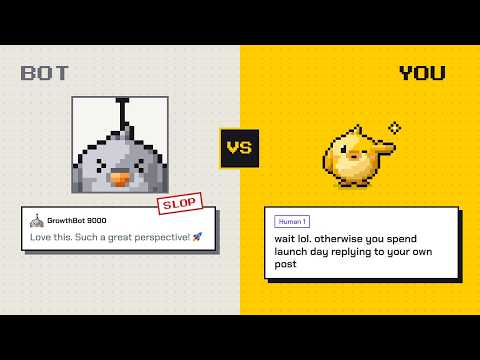
Twick is an AI reply generator for X (Twitter), Threads and Bluesky that drafts replies in your own voice, free of AI slop. You pick a draft and post it yourself. ❶ WHY TWICK AI slop is the kind of reply anyone can tell a bot wrote: "Great point! 🚀", "This hits different", "Couldn't agree more." People scroll past it, and it makes you look like you're not there to talk. Twick runs every draft through its own engine before you see it. A draft that isn't good enough is thrown away, and you never pay for it. ❷ TWICK CAN HELP YOU WITH: - Replies in your voice: save a few of your own posts and replies on X, and Clone DNA learns how you talk, from how long your replies are to the jokes you make. - Dislike once, never again: press Dislike on a draft and Twick stops writing like that. - Any language: Twick replies in the language of the post, even when you write your own take in another. - Pick your mix: choose how many clear, casual and question replies you get each time. - Queue mode: draft for several posts at once while you keep scrolling. - Voice DNA profiles: keep more than one voice and switch between them in a click. - Safe mode: Draft from the side panel, the right-click menu or Hotkey (Option+Q on Mac / Ctrl+Q on Windows), with gentle reminders when you reply a lot in a short time. - One account for X (formerly Twitter), Threads and Bluesky, in the same voice. ❸ WHO IT IS FOR Creators, founders and anyone who replies a lot and wants to grow on social media without sounding like a bot. ❹ HOW TO USE 1. Install Twick, press Connect in its panel and sign in on twick.ing. 2. Open a post on X, Threads or Bluesky. 3. Press the Twick button and pick a draft. 4. Edit it and press Post yourself. ❺ PRICING Twick needs a paid plan, and Pro plan starts with a 7-day free trial. Payments are handled by our merchant of record, not by Google. ❻ PRIVACY & SUPPORT Twick only sends a post to its servers when you ask for drafts. We never sell your data or use it for ads. Privacy policy: https://twick.ing/privacy Questions, ideas or bugs? Support: contact@twick.ing ❼ FAQ Q: Does Twick post for me? A: No. It puts the draft you pick in the reply box, and you press Post. Q: Do I need my own AI key? A: No. Everything runs on Twick. Q: How do I start? A: Install Twick, press Connect in its panel and sign in on twick.ing. Twick is independent and not affiliated with X Corp., Meta or Bluesky Social.
0 out of 5No ratings
Details
- Version1.0.0
- UpdatedOctober 15, 2026
- FeaturesOffers in-app purchases
- Size5.39MiB
- LanguagesEnglish
- DeveloperWebsite
Email
contact@twick.ing - Non-traderThis developer has not identified itself as a trader. For consumers in the European Union, please note that consumer rights do not apply to contracts between you and this developer.
Privacy

Twick has disclosed the following information regarding the collection and usage of your data. More detailed information can be found in the developer's privacy policy.
Twick handles the following:
This developer declares that your data is
- Not being sold to third parties, outside of the approved use cases
- Not being used or transferred for purposes that are unrelated to the item's core functionality
- Not being used or transferred to determine creditworthiness or for lending purposes
Support
For help with questions, suggestions, or problems, visit the developer's support site