

TwExportly: Export Tweets From Any Account

Översikt
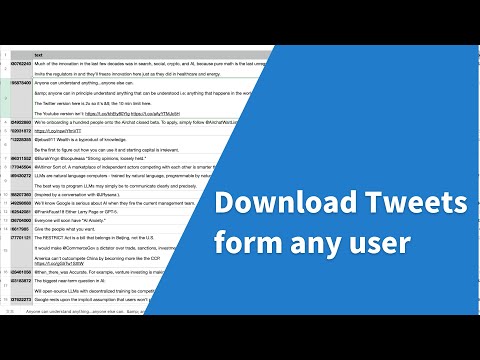
TwExportly is a Chrome extension for Twitter, allows you to export & download tweets from any account into an CSV or Excel file.
🎉 While Twitter/X only permits downloading of your own tweet archive, TwExportly enables effortless exporting and downloading of tweets from any Twitter/X account. After downloading, you can export the details of each tweet to CSV for further analysis and use. The CSV file would include finely detailed information such as the text of the tweet, the number of likes and retweets it has received, the tweet type, whether it contains rich media, and the time it was created, among other details. 🎯 How it works 1. Enter a Twitter username 2. Click the export button 🔒 Data Privacy All data is processed in your local computer, it is never passing through our web server, no one knows what you exported. 📄 Terms TwExportly is a freemium app. You can use it for free with certain limitations. You can upgrade to the Premium version on a subscription basis. 👋 Support support@100xtools.com 🆕 Changelog v2.26 fixed some bugs v2.25 fixed some bugs v2.23 fixed some bugs v2.7 fixed some bugs v2.5 You can now filter tweets by date. v2.3 fixed bugs v2.2 new features: - auto download - wait and retry if rate limit v2.0 fixed bugs v1.9 fixed some bugs
3,2 av 524 betyg
Information
- Version2.31
- Uppdaterat18 april 2026
- FunktionerErbjuder köp i appen
- Storlek121KiB
- Språk16 språk
- UtvecklareWebbplats
E-post
support@100xtools.com - Icke-näringsidkareUtvecklaren har inte angett att den är näringsidkare. Konsumenter i EU bör tänka på att konsumenträttigheter inte gäller för avtal mellan dig och denna utvecklare.
Integritet

Denna utvecklare försäkrar att din data
- inte säljs till tredje part, förutom i godkända användningsfall
- inte används eller överförs för ändamål som inte är relaterade till objektets huvudfunktioner
- inte används eller överförs i syfte att bedöma kreditvärdighet eller för lån.
Support
Om du behöver hjälp med frågor, förslag eller problem kan du öppna den här sidan i webbläsaren på datorn