

TwCommentExport: esporta commenti di Twitter

Panoramica
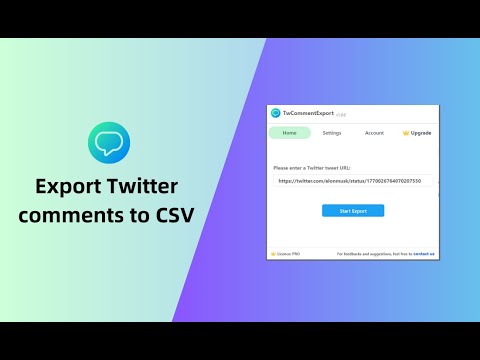
Esporta commenti/risposte ai tweet di Twitter in CSV o Excel con un clic. Puoi scaricare commenti da qualsiasi tweet per l'analisi
TwCommentExport is perfect for social media marketers, PR professionals, researchers, and anyone looking to analyze Twitter/X conversations effectively. Whether you're conducting market research, monitoring brand sentiment, or studying public opinion, this tool simplifies the data collection process and empowers you with valuable insights. In 2026 and beyond, Twitter will typically display only around 200 comments for any given tweet. However, our Chrome extension empowers users to export all comments (excluding those flagged as offensive by Twitter) associated with a tweet into a comprehensive CSV file. This means you can access and analyze every single reply, going beyond the standard limitations 🙂How it works: 1. Copy the Twitter/X tweet url and paste it into the extension. 2. Click the "Start Export" button. 🗎Sample CSV: https://docs.google.com/spreadsheets/d/1jlnz0TBCvL3iPIBnq9d7WQ7moQ9ydoJgeTo2_bO-F3g/edit?usp=sharing 📋The exported CSV file contains the following columns: ID: unique identifier for the reply. Name: The display name of the user who posted the reply. Handle: The Twitter username of the user (preceded by the @symbol). TweetText: The full text content of the reply. TweetCreateTime: The timestamp for when the reply was posted. TweetURL: The direct URL to the specific reply on Twitter. Type: The type of interaction (e.g., reply, tweet). ReplyCount: The number of replies to the reply. QuoteCount: How many times the reply has been quoted by others. RetweetCount: The number of retweets the reply has received. LikeCount: The total number of likes for the reply. BookmarkCount: How many times the reply has been bookmarked. Views: The number of times the reply has been viewed. AllImageURL: URLs of any images included in the reply. VideoURL: The URL of any video content included in the reply. Bio: The biography field from the user's Twitter profile. CanDM: Indicates whether the user's settings allow for them to be direct messaged by others. AccountCreateDate: The date when the user's Twitter account was created. Location: The location provided in the user's profile (note that this is self-reported by users). FollowersCount: The number of followers the user has. FollowingCount: The number of accounts the user is following. TotalFavouritesByUser: The total number of tweets the user has liked/favorited. MediaCount: The number of media uploads (photos and videos) the user has posted. ProfileBannerURL: The URL of the user's profile banner image. ProfileURL: The direct URL to the user's profile page. AvatarURL: The direct URL to the user's profile picture (avatar). PostCount: The total number of tweets posted by the user. Verified: Indicates whether the user has a verified account. IsBlueVerified: Specifically indicates whether the user has received the 'blue checkmark' verification from Twitter 🔒Data Privacy: Safeguarding user data privacy and security is our top priority. We deeply value our users' trust and are committed to upholding the highest data protection standards, strictly adhering to privacy regulations like GDPR and CCPA. ✉️Contact us: If you have any feedbacks or suggestions, please don't hesitate to reach out to us at xtcodetech+twcomment@gmail.com.
5 su 53 valutazioni
Dettagli
- Versione1.3.0
- Ultimo aggiornamento:27 febbraio 2026
- FunzioniOffre acquisti in-app
- Dimensioni2.14MiB
- Lingue49 lingue
- SviluppatoreSito web
Email
xtcodetech@gmail.com - Non commercianteQuesto sviluppatore non si è identificato come commerciante. Per quanto riguarda i consumatori nell'Unione Europea, tieni presente che i diritti del consumatore non sono applicabili ai contratti stipulati tra te e questo sviluppatore.
Privacy

TwCommentExport: esporta commenti di Twitter ha comunicato le seguenti informazioni relative alla raccolta e all'utilizzo dei tuoi dati. Per informazioni più dettagliate, consulta le privacy policy dello sviluppatore.
TwCommentExport: esporta commenti di Twitter gestisce quanto segue:
Questo sviluppatore dichiara che i tuoi dati:
- Non vengono venduti a terze parti, se non per i casi d'uso approvati.
- Non vengono usati o trasferiti per finalità non correlate alle funzionalità principali dell'elemento.
- Non vengono usati o trasferiti per stabilire l'affidabilità creditizia o per finalità di prestito.
Assistenza
Per ricevere assistenza in merito a domande, suggerimenti o problemi, apri questa pagina nel browser desktop