


Overview
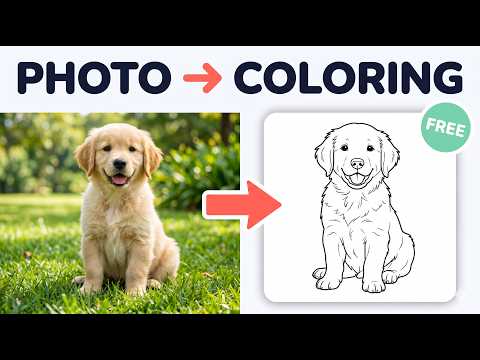
Turn photo into coloring page in one click: right-click any image on the web and get printable line art. Your first one is free.
Turn photo into coloring page in one click, right from your browser. See a cute puppy, a family photo or a favorite cartoon scene online? Right-click it, choose "Turn into coloring page", and Koloring turns it into clean black-and-white line art you can print or color online. HOW IT WORKS 1. Right-click any image on any website 2. Choose "🎨 Turn into coloring page" 3. Print it on A4 or US Letter, or color it online PERFECT FOR • Parents making personal pages from family photos and pets • Teachers preparing a quick class activity • Kids who want to color their own favorite things PRICING Your first conversion is free, no account needed. A free account adds a few more, and Koloring plans give you a monthly allowance and clean HD downloads. PRIVACY The extension reads nothing on the pages you visit and runs no scripts on them. Only the address of the image you right-click is sent to koloring.ai.
5 out of 52 ratings
Details
- Version1.3.1
- UpdatedOctober 29, 2026
- Size72.09KiB
- Languages10 languages
- DeveloperWebsite
Email
business93908@gmail.com - Non-traderThis developer has not identified itself as a trader. For consumers in the European Union, please note that consumer rights do not apply to contracts between you and this developer.
Privacy

This developer declares that your data is
- Not being sold to third parties, outside of the approved use cases
- Not being used or transferred for purposes that are unrelated to the item's core functionality
- Not being used or transferred to determine creditworthiness or for lending purposes
Support
For help with questions, suggestions, or problems, visit the developer's support site