

TurboTube - Video Speed Controller & Auto-Skipper
4 ratings
)
Overview
Speed up videos up to 16x, micro-adjust playback rates, auto-skip video prompts, & track time saved on specific platforms.
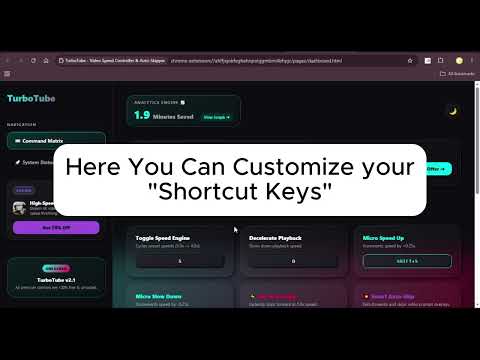
🚀 TurboTube is the ultimate lightweight HTML5 Video Speed Controller and Smart Auto-Skipper built to revolutionize your video watching experience across YouTube, Udemy, Physics Wallah, Coursera, and all web video platforms. Save hours of screen time every week by accelerating lectures, tutorial videos, and long streams with precision speed controls, instant hotkeys, and real-time productivity analytics! ⚡ KEY FEATURES • 🚀 Speed Engine (1.0x to 16.0x): Seamlessly boost playback speeds beyond default browser limits (2x). • ⌨️ Universal Keyboard Shortcuts: Remap 9 custom hotkeys for Speed Up, Slow Down, Micro-Increments (±0.25x), Zap Mode, and Quality toggles. • ⚡ Zap Mode: Skip boring intro segments instantly at 5.0x speed with a single keypress. • ⏩ Smart Auto-Skipper: Automatically fast-forwards and skips video prompt overlays without manual clicking. • 📈 Real-Time Life Saved Analytics: Track your exact minutes and hours saved with interactive daily, monthly, and yearly growth charts directly in the Command Center. • 🎥 4K Quality Injector: Instantly switch YouTube resolutions with custom hotkeys. • 🌙 Sleek Glassmorphism Dark Mode: Gorgeous, fluid command dashboard designed for low eye strain. ❓ FREQUENTLY ASKED QUESTIONS Q: How do I speed up videos beyond 2x on YouTube? A: Simply install TurboTube and press 'S' to cycle playback speeds up to 4.0x or use Shift+S for custom micro-speed adjustments up to 16.0x! Q: Is TurboTube free to use? A: Yes! TurboTube is 100% free with no account creation, logins, or subscription required for core features. Q: Does TurboTube work on other learning platforms like Udemy or Coursera? A: Absolutely. TurboTube automatically detects all standard HTML5 video elements across the entire web. 🔒 PRIVACY FIRST TurboTube runs 100% locally in your browser. We do not collect, track, or sell your personal data or browsing history. Boost your video viewing efficiency today with TurboTube! Made by @nasirhussain
4.8 out of 54 ratings
Details
- Version1.2
- UpdatedAugust 10, 2026
- Offered bynasirsexpo
- Size73.85KiB
- LanguagesEnglish
- DeveloperMd Nasir Hussain
G-86c Lal Kuan new delhi 110044 Delhi, Delhi 110044 INEmail
nasirhussain76830@gmail.comPhone
+91 76830 74637 - TraderThis developer has identified itself as a trader per the definition from the European Union and committed to only offer products or services that comply with EU laws.
Privacy

TurboTube - Video Speed Controller & Auto-Skipper has disclosed the following information regarding the collection and usage of your data. More detailed information can be found in the developer's privacy policy.
TurboTube - Video Speed Controller & Auto-Skipper handles the following:
This developer declares that your data is
- Not being sold to third parties, outside of the approved use cases
- Not being used or transferred for purposes that are unrelated to the item's core functionality
- Not being used or transferred to determine creditworthiness or for lending purposes
Support
For help with questions, suggestions, or problems, visit the developer's support site