

TubeStacker

Overview
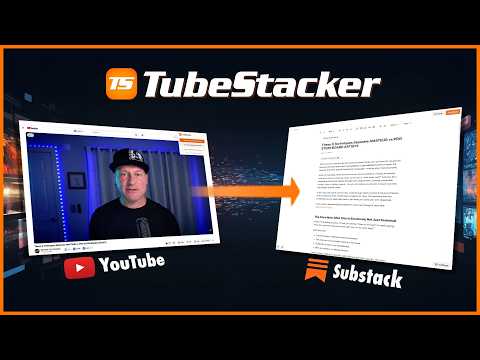
Convert YouTube transcripts to articles and social media content in your OWN VOICE
Stop repurposing content manually. Let TubeStacker do the heavy lifting. Transform YouTube videos into publish ready articles and all of your social media content, all with AI that writes in YOUR VOICE. TubeStacker is the ultimate tool for content creators, journalists, and educators who want to turn their existing video content into professional written content to be used for newsletters/blogs like Substack or Medium. In addition, version 1.1 introduced the ability to produce ALL of your social media content for the platforms listed below. And the best part is that it knows how to draft content specifically for each platform so they don't all sound the same. Unlike standard transcription tools, TubeStacker preserves your unique speaking style and generates platform-ready content across multiple formats — all from a single YouTube URL. KEY FEATURES: • Multi-Format Generation: Generate publish ready articles and social media content, like X threads and LinkedIn posts, all at once from one video. • Voice-Preserving Content: Paste a sample of your writing and TubeStacker's AI matches your voice, vocabulary, and style across every format. • Tone Presets: Choose from professional, conversational, academic, journalistic, storytelling, educational — or write your own custom tone. • 30+ Output Languages: Generate content in English, Spanish, French, German, Japanese, Chinese, Korean, and many more. • Interactive Timestamps: Automatically generates deep links that take readers to the exact second in your YouTube video. • Smart Visuals: Get suggestions on exactly where to place screenshots from your video to illustrate your points perfectly. • AI Content Detector: See how likely your content appears AI-generated before you publish. • AI Humanizer: One-click rewrite to make your content sound natural and human. • Inline AI Editing: Select any sentence or paragraph and ask AI to improve, shorten, expand, or rewrite it. • SEO Optimization: Auto-generated meta titles, descriptions, keywords, and keyphrase targeting. • Seamless Integration: Works directly in your browser as you watch your videos. --- PRICING & CREDITS: We believe in SUBSCRIPTION-FREE software. No monthly fees, no obligations. • Free Forever: Generate basic, high-quality articles for any video at no cost. Get 10 free credits on signup. • Pro Features (Credit-Based): Use credits only when you need them: • Articles with advanced options: 5 credits • X/Twitter Threads: 2 credits • LinkedIn, Reddit, YouTube Community, Blog SEO, Instagram: 1 credit each • Credit packs start at just $4.99 — no subscription, credits never expire. --- HOW TO USE: 1. Install the TubeStacker extension. 2. Open any YouTube video. 3. Click on the extension and choose between “Full Features” or “Quick Generate” 4. Choosing “Full Features” takes you directly to the web app and will automatically copy and paste the transcript for you. You can also choose to create any of the available social media content. 5. Choosing “Quick Generate” will automatically generate a newsletter style article for you for FREE. 6. Select your content formats and options. 7. Copy your formatted content and post it anywhere — Substack, Medium, X, LinkedIn, Reddit, Instagram, and more!
0 out of 5No ratings
Details
- Version1.1
- UpdatedMarch 19, 2026
- FeaturesOffers in-app purchases
- Offered byTubeStacker
- Size30.86KiB
- LanguagesEnglish
- DeveloperCinemachine Inc.
140 W Franklin St Ste 203 # 110 Monterey, CA 93940 USEmail
tubestacker@gmail.com - TraderThis developer has identified itself as a trader per the definition from the European Union and committed to only offer products or services that comply with EU laws.
- D-U-N-S057604143
Privacy

TubeStacker has disclosed the following information regarding the collection and usage of your data. More detailed information can be found in the developer's privacy policy.
TubeStacker handles the following:
This developer declares that your data is
- Not being sold to third parties, outside of the approved use cases
- Not being used or transferred for purposes that are unrelated to the item's core functionality
- Not being used or transferred to determine creditworthiness or for lending purposes
Support
For help with questions, suggestions, or problems, visit the developer's support site