

TubeFusion: Repurpose YouTube Videos into Content

Overview
Turn YouTube videos into briefings, SEO blogs, social posts & newsletters. Score, optimize, translate, plan & export in one place.
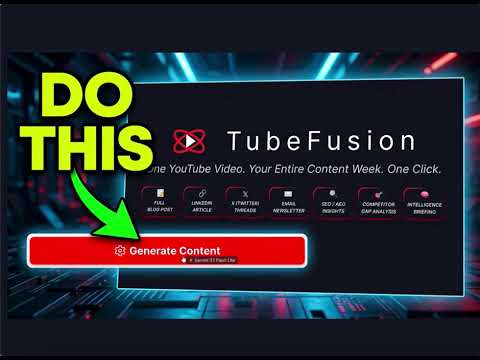
TubeFusion turns any YouTube video into ready-to-use content in a few clicks. It extracts the transcript and uses Gemini AI to generate summaries, SEO content, social posts, competitor insights and a content calendar. Then score, refine and translate each asset, and export to Word, Excel or Notion. ⚠️ Update note — v1.0.10 fixes a permissions issue from v1.0.8: Notion access is now requested only when you click "Connect Notion" in Settings, not as part of the update itself, so this version installs automatically with no action needed. If TubeFusion is still showing as disabled from the earlier v1.0.8 update, go to chrome://extensions, find TubeFusion, and click "Details" → "Review" → "Allow" once to clear it. Your saved API key and content are untouched either way. Built for content creators, marketers, agencies, educators and researchers. Instead of rewriting a video by hand into each format, generate the full set of editable drafts in one pass, powered by Google Gemini AI. Repurpose one video into a week of content, prepare structured drafts for a client, or get a summary without watching the whole video. 🎁 100% Free Forever: You can realistically use TubeFusion completely free forever without ever paying a single dime. The extension connects directly to Gemini’s highly generous free API tier. Unless you deliberately choose to switch your Google AI Studio account to a paid, pay-as-you-go tier for heavy enterprise scaling, you will never be charged. ⭐ Key Features ✅ Extracts the YouTube title, channel and transcript, then builds a strategic summary and a raw transcript view. ✅ Extracts the YouTube title, channel and transcript, then builds a strategic summary and a raw transcript view. ✅ Generates SEO/AEO-ready content: a blog draft and an SEO/AEO outline. ✅ Creates social content for LinkedIn, Twitter/X, newsletter and Reddit. ✅ Produces competitor analysis: coverage score, gap score, suggested angle, topics covered, content gaps and title suggestions. ✅ Translates all your assets into a second language. ✅ Scores every asset and shows the next steps, with the points each one earns. Improve it with one-click AI edits, step-by-step AI edits or manual changes. Undo or reset anytime. ✅ Adds your own clickable links alongside AI-suggested links. ✅ Exports a content calendar (.xlsx) and content assets (.docx), or sends both to Notion. ✅ Keeps your 5 most recent videos in a Library, each with its own saved workspace. ✅ Lets you choose a writing tone, manage Gemini API settings, copy outputs and clear the workspace. 🚀 How to Use 1. Open a YouTube video with a transcript. 2. In Settings, add your free Gemini API key and choose a model. 3. Choose a tone, and turn on translation if you want a second language. 4. Click Generate Content to create the summary, blog, social posts and competitor analysis. 5. Follow the recommended next steps on each asset to raise its score, or edit by hand. 6. Copy or export to Word, Excel or Notion. To use Notion, connect it once in Settings. 7. Click Clear Workspace to start a new video. Your last 5 videos stay in the Library. 💡 Pro Tip: • Save tokens: turn on translation only when you need it. It doubles the generation load and the processing time. • Deeper insights: use Flash models for complex topics. ❓FAQ Q1: Do I need to pay to use TubeFusion? 💬 TubeFusion is completely free. Connect using your own Gemini API key and free API tier. This means you can realistically use TubeFusion completely free forever without ever paying a single dime, unless you deliberately switch your Google AI Studio account to a paid pay-as-you-go tier for heavy enterprise scaling. No subscriptions, no hidden fees. Q2: Which AI model should I use? 💬 You can pick any supported Gemini model in Settings. Flash models are the best choice for complex, long videos, where depth and quality matter most. Lite models are great for high-volume work, where speed comes first. If a model isn’t available, TubeFusion automatically tries a fallback to keep your generation going, and we update the model list when Google makes changes. Q3: Does it work with non-English videos? 💬 Yes! TubeFusion detects the language of the video’s transcript and writes your content in that language. Want a second version? Turn on translation, pick a target language, and every asset is translated too. Scoring is refined for English, Spanish, Portuguese, French, German, Italian and Dutch. Q4: How long can the videos be? 💬 Any video with YouTube captions works. For very long videos (about 2 hours or more), TubeFusion automatically keeps the most important parts and shows you how much of the video was analyzed. Q5: Does it work with all YouTube videos? 💬 It works with public YouTube videos that have captions enabled. Private, unlisted, or age-restricted videos cannot be processed due to YouTube's platform security limitations. Q6: Can I work on more than one video? 💬 Yes! Your 5 most recent videos are saved in your Library, each with its own workspace. Open any of them to pick up where you left off, and your other videos stay untouched. Q7: Is my data private? 💬 Yes. TubeFusion has no backend server, so your workspace stays in your browser. Your content goes straight from your browser to Google’s Gemini API when you generate, optimize or translate, and TubeFusion never sees it. If you connect Notion, its token stays on your device, and content goes to Notion only when you click a Notion button. Q8: Does JSON-LD use extra API calls? 💬 Only sometimes. JSON-LD is the structured data that helps search engines understand your blog. A basic author (Person) schema is created right in your browser, with no Gemini call. Extra schema types for your blog, like Article or FAQ, use one Gemini call. Q9: Do I need Notion to use TubeFusion? 💬 Not at all! Notion is optional, and you can always export to Word or Excel instead. To connect it, create a Notion integration, share a page with it, and paste its token in Settings. 📬 Contact Have questions or feedback, or need support? I’d love to hear from you. Email: hellotubefusion@gmail.com 🆕 Versions v1.0.10 (Nov 18, 2026) • Smarter AI Upgrades & Scoring: Score every asset in 7 languages (EN, ES, PT, FR, DE, IT, NL) and improve it with competitor insights and context-aware AI, using one-click fixes, step-by-step edits or manual changes. Undo or reset anytime. • Content Planning & Notion Export: Interactive Excel calendar with status dropdowns and a correct weekday. Send calendars and assets to Notion, with links to the full content. • Smarter Translation Management: Track translation status, retry failures and send translations to Notion next to the originals. • Interface & Dark Mode: Sticky sidebar, “+ New video” button, cleaner icons, and system-aware dark mode.
0 out of 5No ratings
Details
- Version1.0.12
- UpdatedNovember 25, 2026
- Offered byTiagoMaggioli
- Size1.01MiB
- LanguagesEnglish
- Developer
Email
tiagomaggioli1@gmail.com - Non-traderThis developer has not identified itself as a trader. For consumers in the European Union, please note that consumer rights do not apply to contracts between you and this developer.
Privacy

TubeFusion: Repurpose YouTube Videos into Content has disclosed the following information regarding the collection and usage of your data. More detailed information can be found in the developer's privacy policy.
TubeFusion: Repurpose YouTube Videos into Content handles the following:
This developer declares that your data is
- Not being sold to third parties, outside of the approved use cases
- Not being used or transferred for purposes that are unrelated to the item's core functionality
- Not being used or transferred to determine creditworthiness or for lending purposes