
![Item logo image for TTV Banner Block [Beta]](https://lh3.googleusercontent.com/MINVDGC3ljpSPxmd8_CbpcphZQHFIp38_7yr8UkPp6kUQIuXFBeY-CPcHIE837kKv9HFlbThk1NeZfqJ58X2hk_g1w=s60)
TTV Banner Block [Beta]
![Item media 3 (screenshot) for TTV Banner Block [Beta]](data:image/gif;base64,R0lGODlhAQABAIAAAP///////yH5BAEKAAEALAAAAAABAAEAAAICTAEAOw==)
Overview
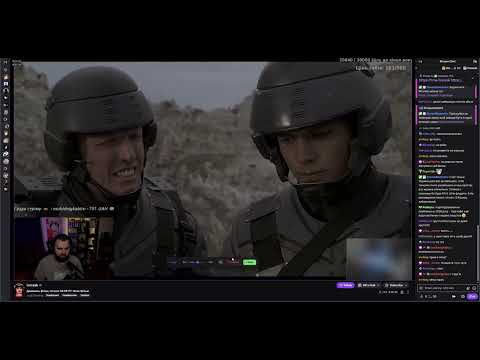
Select and blur banner zones on Twitch streams and VODs. twitch.tv t.tv chat ban
Tired of massive sponsor logos, flashing casino ads, or intrusive overlays blocking your view on Twitch? TTV Banner Block is the ultimate tool to reclaim your screen and focus on the gameplay. Unlike traditional ad-blockers that often miss "baked-in" stream overlays or hard-coded sponsor graphics, this extension gives YOU the power to choose exactly what you want to hide. Key Features: Visual "Draw-to-Blur" Selection: Just click the "Draw" icon in your player controls and drag a rectangle over any annoying area. Customizable Blur Intensity: Adjust the blur level to perfectly obscure distracting content while maintaining the stream's aesthetic. Per-Channel Persistence: The extension remembers your zones for every specific channel. Set it once, and it stays hidden forever! Live & VOD Support: Works seamlessly on both live broadcasts and past videos (VODs). Native Integration: Injects a clean, non-intrusive toolbar directly into the Twitch player interface. Why TTV Banner Block? We believe viewers should have control over their visual experience. Whether it's a massive "Sponsor of the Day" logo or a distracting social media overlay, you can now hide it in seconds without losing the stream's context. Coming Soon (Beta Features): AI Content Replacement: Swap blurred areas with context-aware generated content. Stream Latency Tracker: Real-time delay monitoring. Auto Drop Collector: Never miss a Twitch Drop again. Chat Ban Bypass UI: Keep interacting even when restricted. Privacy First: We value your privacy. All your settings and blurred zones are stored locally in your browser. We do not track your browsing history or collect any personal data. Feedback: This extension is currently in Beta. If you encounter any bugs or have suggestions for new features, please visit GitHub repository and let us know!
0 out of 5No ratings
Details
- Version0.1.0
- UpdatedMay 7, 2026
- Offered byakimerslys
- Size54.58KiB
- LanguagesEnglish
- Developer
Email
akimslys2003@gmail.com - Non-traderThis developer has not identified itself as a trader. For consumers in the European Union, please note that consumer rights do not apply to contracts between you and this developer.
Privacy

This developer declares that your data is
- Not being sold to third parties, outside of the approved use cases
- Not being used or transferred for purposes that are unrelated to the item's core functionality
- Not being used or transferred to determine creditworthiness or for lending purposes
Support
For help with questions, suggestions, or problems, visit the developer's support site