


Overview
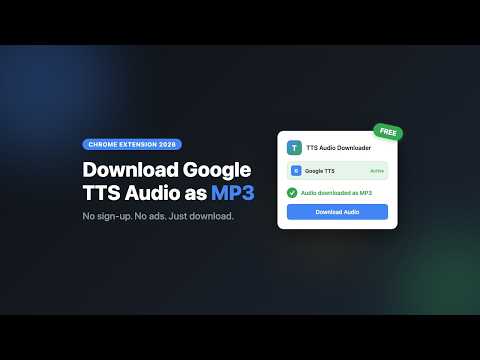
Download Google Cloud TTS audio as MP3 or WAV. No ads, no sign-up, no server upload.
Google TTS Audio Downloader auto-downloads audio from the Google Cloud Text-to-Speech demo page. Type your text, click Play, and the audio file saves to your computer automatically. HOW IT WORKS 1. Open the Google Cloud TTS demo 2. Type your text and click Play 3. Audio downloads automatically 4. Your MP3 or WAV file is saved instantly — no waiting, no server upload SUPPORTED PLATFORM - Google Cloud Text-to-Speech demo — auto-download after playback, all voices, adjustable speed KEY FEATURES - Auto-download on Google TTS — no extra button to click, audio saves after playback - MP3 and WAV export — choose your format with one click - Long text support — automatically splits, synthesizes, and merges into one file - Clean popup UI — see current status and daily usage at a glance - Guided setup — first-time walkthrough gets you downloading in under 30 seconds - No ads — no pop-up promotions or interruptions. Ever. BASIC PLAN - 1,000 characters per day - MP3 and WAV export - Google Cloud TTS support PRO PLAN ($1.99 one-time) - Unlimited daily Google TTS downloads - No daily character quota. WHO IS THIS FOR? - Content creators who need voiceover audio for videos, podcasts, or social media - Language learners who download pronunciation samples for practice - Developers and product managers comparing Google TTS voices - Accessibility users converting articles to audio for commute listening PRIVACY - Your text is never sent to our servers — all processing happens locally - Audio is downloaded directly from Google TTS — we do not store or transmit it - Only 1 host permission (Google TTS) — no broad access - License verification is the only server call (Pro users only) VIDEO TUTORIAL https://www.youtube.com/watch?v=xiwqQUp_K-0 WEBSITE https://extpilot.com/tts-audio-downloader/ SUPPORT Questions or feature requests? Email support@extpilot.com or leave a review — we read every one.
5 out of 51 rating
Details
- Version1.0.5
- UpdatedOctober 15, 2026
- Size54.95KiB
- LanguagesEnglish
- Developer
- Non-traderThis developer has not identified itself as a trader. For consumers in the European Union, please note that consumer rights do not apply to contracts between you and this developer.
Privacy

This developer declares that your data is
- Not being sold to third parties, outside of the approved use cases
- Not being used or transferred for purposes that are unrelated to the item's core functionality
- Not being used or transferred to determine creditworthiness or for lending purposes
Support
For help with questions, suggestions, or problems, visit the developer's support site