


概述
借助AI在几分钟内创建视频和文档。在几秒钟内分享精美视频和分步指南。
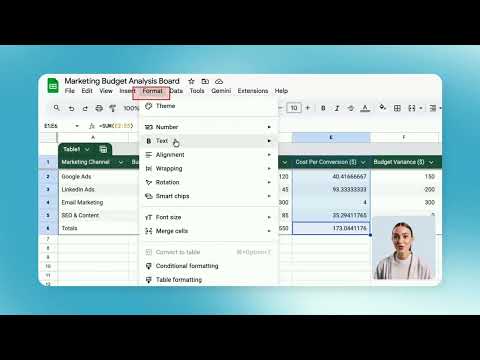
Trupeer AI transforms your screen recordings into polished videos and guides effortlessly. Utilizing advanced AI, it generates scripts, adds realistic voiceovers and avatars, and automates editing tasks. Perfect for creating engaging product demos, instructional tutorials, and comprehensive training guides in seconds. Key Features: Free Screen Recorder: Capture your screen seamlessly to demonstrate product features, conduct live demos, or create engaging training videos. AI Script Generator: Automatically refines scripts by removing filler words and correcting grammar. AI Voiceovers: Over 100+ accents and styles for lifelike narration. AI Avatar: Integrate realistic avatars into your videos, enhancing engagement. Your words are read out by an AI avatar (no camera necessary!) Automated Editing: Applies smooth zoom effects, intros and outros, and transitions automatically based on clicks on your screen. Step-by-Step Guide: Transform your screen recordings into comprehensive step-by-step guides, complete with structured headings, clear descriptions, and visual screenshots for easy understanding. Screen Capture or Screenshot Picker: Easily include or replace screenshots in your guide (training materials/ transcripts) without re-recording, saving time and enhancing efficiency. Customizable Branding: Incorporate logos, colors, and backgrounds to align with your brand. Multi-Language Support: Translate videos into 50+ languages with a single click. Flexible Export Options: Download videos or step by step guide documents to share via private or public indexable links. Easy Editor: Edit video by editing text. Easily crop or trim your video. Blurs and Annotations: Add blurs, highlights and annotations in your video and guide. Shareable Pages: Share generated videos and guides via shareable links with access control. Embed the videos directly in your website. Analytics: Get advanced analytics on shared videos, such as watched video minutes, views, clicks at aggregate and user level. Benefits of using Trupeer AI: No Editing Skills Needed: Turn your screen recordings into polished videos without any editing experience. Saves You Time: Automates tasks like AI avatar creation, voiceovers, and editing, so you can focus on what matters. Cost-Effective: Eliminates the need for expensive video editors or voice actors. User-Friendly: Designed for anyone, no tech skills required. Professional Results: Create high-quality videos with AI-generated voiceovers and avatars. Create More Content: Produce multiple videos quickly, keeping your audience engaged. Customize Your Brand: Add your logo, colors, and style to make videos uniquely yours. Reach a Wider Audience: Translate videos into over 50 languages with a single click. Works with Your Tools: Easily integrates with your existing workflow and tools. Use cases of Trupeer AI: Product Marketing with AI Video Editor Make product launch videos that stand out. Record your screen, add AI voiceovers and avatars, and edit everything in one place, no video team needed. Employee Onboarding with Training Video Generator Create onboarding videos fast. Just record your screen and let AI handle the voiceover and visuals. Great for remote or growing teams. Sales Enablement with Explainer Videos Help your sales team pitch better. Build clear, customized explainer videos using AI avatars and screen recordings that walk prospects through your product. Customer Education with Video Tutorial Creator Turn walkthroughs into professional video tutorials. Use the screen recorder, add step-by-step narration with AI, and publish helpful content in minutes. Made for Chrome: Video Tutorials in Your Browser Record, edit, and publish videos directly from your browser. This Chrome extension is built to help you create content quickly, right where you work. How to Get Started: 1. Install & Pin Click “Add to Chrome” and pin it to your toolbar. 2. Record your screen Record any tab, window, or your full screen directly using this Chrome extension. 3. Create AI video and guide To turn your recordings into AI-powered videos or guides, head to app.trupeer.ai to upload, generate and edit your AI content from rough screen recordings. For support or feedback, please contact us at hello@trupeer.ai. This screen recorder chrome extension builds on Screenity, originally created by Alyssa X and licensed under the GNU GPLv3, with enhancements developed by the Trupeer team. Source code available here: https://github.com/trupeer-ai/trupeer-chrome-capture. For more information about how to use Trupeer.ai, please visit https://docs.trupeer.ai/.
4.8 星(5 星制)39 个评分
详情
隐私权

“Trupeer - AI屏幕录制,用于视频文档、SOP和屏幕截图”已就收集和使用用户数据披露了以下信息。 如需了解详情,请查看开发者的privacy policy。
Trupeer - AI屏幕录制,用于视频文档、SOP和屏幕截图会处理以下数据:
该开发者已声明,您的数据:
- 不会因未获批准的用途出售给第三方
- 不会为实现与产品核心功能无关的目的而使用或转移
- 不会为确定信用度或放贷目的而使用或转移
支持
若有任何疑问、建议或问题,请访问开发者的支持网站