


Overview
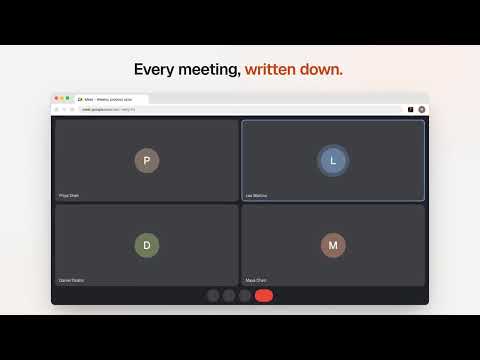
Record Google Meet, Zoom and Teams calls into Trenches with a live transcript, and fill your logins from the Trenches Vault.
Trenches puts your meetings and your logins right in the browser. Every call gets written down, and every password is one click away. MEETINGS: NO BOT IN THE CALL • Google Meet, Zoom and Microsoft Teams on the web: a "Record" button appears when the call starts. One click and you're recording. Or turn on "Always record" for each platform. • Live transcript in the side panel while you talk, in any language. • Ask during the call: "What did I miss?", "What did we decide?", "Who owns this?" • After the call: the full transcript with speakers, a summary, decisions, and action items that become tasks in one click. • Any other web call: click the Trenches icon and pick "Record this tab". In-person meetings: record with the microphone. • Nothing gets lost: audio is kept on your computer until it uploads, even if the browser restarts. • Shortcuts: Alt+Shift+M starts or stops recording, Alt+Shift+O opens Trenches. VAULT: YOUR TEAM'S LOGINS • Search the Trenches Vault from the toolbar and copy a username or password. A copied password is cleared from the clipboard after 90 seconds. • Autofill: a small Trenches icon appears in sign-in fields. Click it, pick the login, done. One-time codes (TOTP) too. • Signed up with a new password? Trenches offers to save it. • Your AI agents can ask to sign in somewhere for you. You approve on the page, Trenches fills the form, and the agent never sees the password. • The Vault locks itself after a few idle minutes and when the browser restarts. Needs a Trenches account (trenches.so) or your own self-hosted Trenches server.
5 out of 51 rating
Details
- Version1.3.3
- UpdatedNovember 22, 2026
- Size290KiB
- LanguagesEnglish
- Developer
- Non-traderThis developer has not identified itself as a trader. For consumers in the European Union, please note that consumer rights do not apply to contracts between you and this developer.
Privacy

Trenches: Meetings and Vault has disclosed the following information regarding the collection and usage of your data. More detailed information can be found in the developer's privacy policy.
Trenches: Meetings and Vault handles the following:
This developer declares that your data is
- Not being sold to third parties, outside of the approved use cases
- Not being used or transferred for purposes that are unrelated to the item's core functionality
- Not being used or transferred to determine creditworthiness or for lending purposes
Support
For help with questions, suggestions, or problems, please open this page on your desktop browser