


Overview
Download all attachments from a Trello card as a ZIP file with one click.
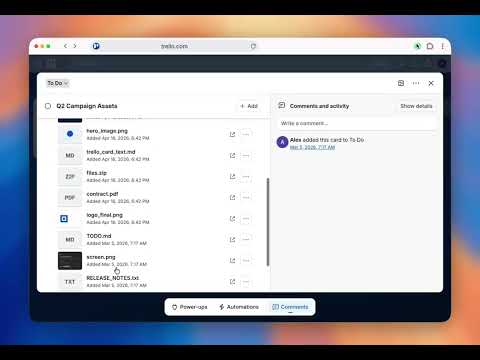
Download all Trello attachments in one click. Save hours of manual work. Trello Attachment Downloader exports all attachments from any Trello card into a single ZIP file — instantly, with no setup required. Used by individuals and teams to back up and automate Trello workflows. FEATURES • One-click ZIP download — all attachments bundled in one file • Includes hidden attachments — automatically expands "Show more" • Works instantly — no API key, no configuration, no external software • Privacy-friendly — runs entirely in your browser, files never leave your device • Smart naming (Pro) — ZIP file named after the Trello card title WHO IT'S FOR Perfect for agencies, project managers, and anyone managing files in Trello. HOW TO USE 1. Open any Trello card with attachments 2. Click the "Download all as ZIP" button below the attachments 3. Done — your ZIP file downloads automatically PRICING Free: 10 ZIP downloads per month Pro: Unlimited downloads + smart file naming Teams: Discounted multi-user plans available SUPPORT Questions? Contact support@trello-attachment-downloader.com Note: This extension is not affiliated with Trello or Atlassian.
5 out of 54 ratings
Details
- Version2.3.6
- UpdatedAugust 21, 2026
- FeaturesOffers in-app purchases
- Size48.24KiB
- Languages3 languages
- DeveloperAlexander Masaru KagoshimaWebsite
c/o IP-Management #10049 Ludwig-Erhard-Straße 18 Hamburg 20459 DEEmail
info@trello-attachment-downloader.com - Non-traderThis developer has not identified itself as a trader. For consumers in the European Union, please note that consumer rights do not apply to contracts between you and this developer.
Privacy

Trello Attachment Downloader has disclosed the following information regarding the collection and usage of your data. More detailed information can be found in the developer's privacy policy.
Trello Attachment Downloader handles the following:
This developer declares that your data is
- Not being sold to third parties, outside of the approved use cases
- Not being used or transferred for purposes that are unrelated to the item's core functionality
- Not being used or transferred to determine creditworthiness or for lending purposes