


Overview
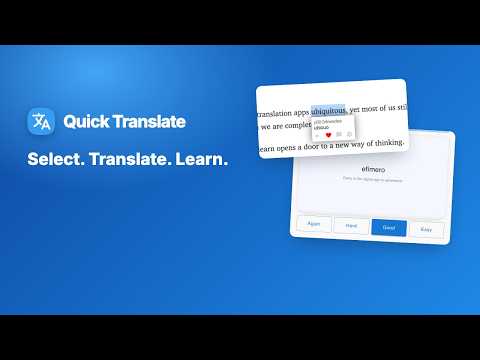
Select text on any web page or PDF to translate it instantly. Popup dictionary, pronunciation & spaced-repetition flashcards.
Translate selected text without leaving the page, and keep the words you want to remember. Double-click any word, or select a sentence and press Shift: the translation appears right under it, in 90 languages. One more click saves the word to flashcards that bring it back just before you forget it. HOW IT WORKS 1. Double-click a word, or select text and press Shift. 2. Read the translation and other meanings, and hear the pronunciation. 3. Save the word, then review it with spaced-repetition flashcards. TRANSLATE • Any web page: the source language is detected automatically, 90 target languages • PDFs: when you open a PDF in Chrome, the extension offers to open it in its PDF reader, where selected text translates the same way • History of your last 200 lookups • Alt+D opens the toolbar popup DICTIONARY • Phonetics / transliteration • Alternative meanings grouped by part of speech • Add your own example sentences to each word • Pronunciation audio, with optional auto read-aloud LEARN • Save words to Favorites (free up to 50 words) • Flashcards scheduled with the SM-2 spaced-repetition algorithm: Again, Hard, Good, Easy • Daily review reminder, plus a toolbar badge showing how many cards are due • Review streak and retention stats • Optional reminder popup that shows one of your saved words while you browse • Import word lists from Excel/CSV; export to Excel or Anki • Ready-made English word sets: everyday, travel, business, tech YOUTUBE • Hover over the captions to pause the video, then click any word to translate it. • Save it and the flashcard keeps the caption sentence plus a link to that moment, so "Watch clip" takes you straight back to where you heard it. WHO IT'S FOR • Language learners reading real Spanish, French, German, Japanese… pages • IELTS and TOEFL candidates and students reading English articles and papers • Anyone who reads foreign-language documents and PDFs at work FAQ • Do I need an account? No. Google sign-in is only used to unlock Premium. • How much is Premium? Unlimited saved words, with a monthly plan or a one-time lifetime payment. • Does it work on PDFs? Yes, through the built-in PDF reader. • What languages is the interface in? 19 languages. PRIVACY Your saved words are stored locally in your browser. Translations are provided by Google Translate. This extension is independent and is not affiliated with or endorsed by Google.
4.7 out of 537 ratings
Details
- Version2.4.0
- UpdatedNovember 19, 2026
- Offered byhungf.hp
- Size597KiB
- Languages19 languages
- Developer
Email
hungf.hp@gmail.com - Non-traderThis developer has not identified itself as a trader. For consumers in the European Union, please note that consumer rights do not apply to contracts between you and this developer.
Privacy

Translate Selected Text, PDF & Dictionary – Vocabulary Builder has disclosed the following information regarding the collection and usage of your data. More detailed information can be found in the developer's privacy policy.
Translate Selected Text, PDF & Dictionary – Vocabulary Builder handles the following:
This developer declares that your data is
- Not being sold to third parties, outside of the approved use cases
- Not being used or transferred for purposes that are unrelated to the item's core functionality
- Not being used or transferred to determine creditworthiness or for lending purposes
Support
For help with questions, suggestions, or problems, visit the developer's support site