


總覽
Translate your input text with AI.
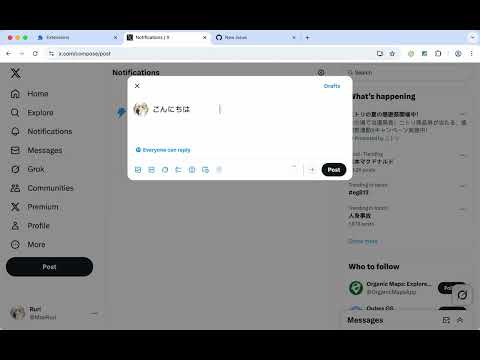
Instant text translation in any input field. Overview Input Translator is a lightweight browser extension that enables quick text translation directly within input fields and text editors. No need to copy-paste or switch tabs - just type and translate instantly. Key Features • Instant Translation - Translate text directly in any input field • Free Google Translate - Works out of the box with Google Translate • AI Integration - Optional OpenAI API support (including OpenRouter and compatible providers) • Universal Compatibility - Supports standard input fields and rich text editors • Privacy Focused - No data collection, all settings stored locally How to Use Three ways to translate: Triple Space - Type your text and press space 3 times Keyboard Shortcut - Press Alt+T (customizable) Context Menu - Right-click and select "Translate Text" Supported Sites Works on all websites including: • Gmail, Outlook, and email services • Google Docs, Notion, and online documents • Twitter, Facebook, and social media • GitHub, GitLab, and development platforms • All standard web forms and text areas Configuration Options Basic Settings: • Auto-detect source language or manual selection • Choose target translation language • Customize keyboard shortcuts Advanced Settings: • Configure OpenAI API for enhanced translations • Support for OpenRouter and compatible LLM services • Choose between different AI models Privacy & Security • No personal data is collected or stored • Translations processed through Google Translate or your configured API • API keys encrypted and stored locally in your browser • Open source and transparent Use Cases Perfect for: • Writing emails in multiple languages • International social media communication • Multilingual document collaboration • Code comment translation • Language learning assistance Support For issues, feature requests, or questions, please visit our Discord group. https://discord.gg/fErBc3wYrC
4.9 分 (滿分 5 分)9 個評分
詳細資料
隱私權

這位開發者就你的資料做出下列聲明:
- 除經核准的用途外,不會將你的資料販售給第三方
- 不會基於與商品核心功能無關的目的,使用或轉移資料
- 不會為了確認信用度或基於貸款目的,使用或轉移資料
支援
如有疑問或建議,請使用電腦版瀏覽器開啟這個頁面