


Overview
Download transcripts of a whole YouTube channel or playlist in one zip. Free transcript panel, SRT export and AI summaries.
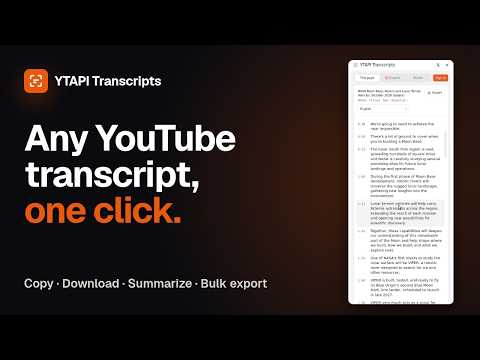
Download the transcripts of a whole YouTube channel or playlist in one zip, or read any video's transcript in a side panel next to the video. Copy it, download it as text or SRT subtitles, or summarize it with ChatGPT, Claude or Grok. BULK DOWNLOAD A WHOLE CHANNEL OR PLAYLIST • On a channel or playlist page, download every transcript at once, or pick just the videos you want. • Channel exports include Shorts and live streams; opening a channel's Shorts, Videos or Live tab exports only that tab. • You get a zip with one file per video, combined files per type (videos, Shorts, live) for whole-channel exports ready to drop into NotebookLM, ChatGPT or Claude, and an index of every video and whether it had captions. • Markdown, plain text, SRT subtitles or JSON. • Exports run on our servers, so you can close the browser meanwhile and download the zip from the extension or the ytapi.dev dashboard when it's done. Accounts that have bought credits also get the link by email. • Exports need a free ytapi.dev account. Free accounts export up to 25 videos at a time; after buying credits, up to 5,000. New accounts get 200 credits; an export costs 1 credit per video plus 1 per page of the video list (100 videos for a channel or playlist, 48 for Shorts), and videos without captions are free. FREE TRANSCRIPT PANEL • Open a video and its transcript is there. The panel follows you to the next video. • Click any line to jump to that moment. • Copy the transcript, or download it as Markdown, plain text, SRT subtitles or JSON, with or without timestamps. • Pick another caption language when the video has several. • Your 20 most recent transcripts stay in the Recent tab, on your device. • No account needed. SUMMARIZE WITH AI • One click opens ChatGPT, Claude or Grok with a ready prompt and a link to the transcript. Review the prompt and press send. • Choose the answer language: the video's own or one of 16 others. • Prefer another AI? "Copy prompt" copies the prompt with the transcript, ready to paste anywhere. PRIVACY • Transcripts are loaded in your browser, directly from YouTube. Nothing is sent to us unless you use a server feature (an export, Ask AI, or a fetch YouTube refused in the browser). • No ads, no tracking of the pages you visit. Anonymous usage counts only, with no video IDs, titles or transcript text. • Privacy policy: https://ytapi.dev/legal/privacy-policy FOR DEVELOPERS The same transcripts are available through the YTAPI transcript API, with SDKs for Python and JavaScript and an MCP server for AI agents: https://docs.ytapi.dev YTAPI is an independent service. It is not affiliated with, endorsed or sponsored by YouTube or Google.
0 out of 5No ratings
Details
- Version1.0.5
- UpdatedNovember 10, 2026
- Size263KiB
- LanguagesEnglish
- DeveloperWebsite
Email
cylinzhang2004@gmail.com - Non-traderThis developer has not identified itself as a trader. For consumers in the European Union, please note that consumer rights do not apply to contracts between you and this developer.
Privacy

Transcript Downloader for YouTube: Bulk Channel & Playlist | YTAPI has disclosed the following information regarding the collection and usage of your data. More detailed information can be found in the developer's privacy policy.
Transcript Downloader for YouTube: Bulk Channel & Playlist | YTAPI handles the following:
This developer declares that your data is
- Not being sold to third parties, outside of the approved use cases
- Not being used or transferred for purposes that are unrelated to the item's core functionality
- Not being used or transferred to determine creditworthiness or for lending purposes
Support
For help with questions, suggestions, or problems, visit the developer's support site